

Create a task
A task is the unit of work an agent picks up. This page creates one the way Maya does: from the drawer, in about fifteen seconds.
From the quick-create drawer
Section titled “From the quick-create drawer”The fastest path. Quick create in the sidebar opens the drawer from anywhere, and so does + New Task at the top of the Tasks page.
-
Pick the project
Section titled “Pick the project”Optional, but do it. A task in a project inherits the project’s repositories, environment, and short-key prefix, and it shows up on that project’s Tasks tab. Maya picks Summitline App.
-
Write the title
Section titled “Write the title”The one line that says what has to be done. Maya writes Add printable trip sheets.
-
Write the description
Section titled “Write the description”This is the part that matters. What an agent receives is the description, so a sentence about why the work exists and what “done” looks like is worth more than any other field on the form. Maya writes: some wilderness permits still want paper, so print the route, the mileage, and the planned camps on one page.
-
Set the priority
Section titled “Set the priority”Low, normal, high, or urgent. It defaults to normal.
-
Select Create Task
Section titled “Select Create Task”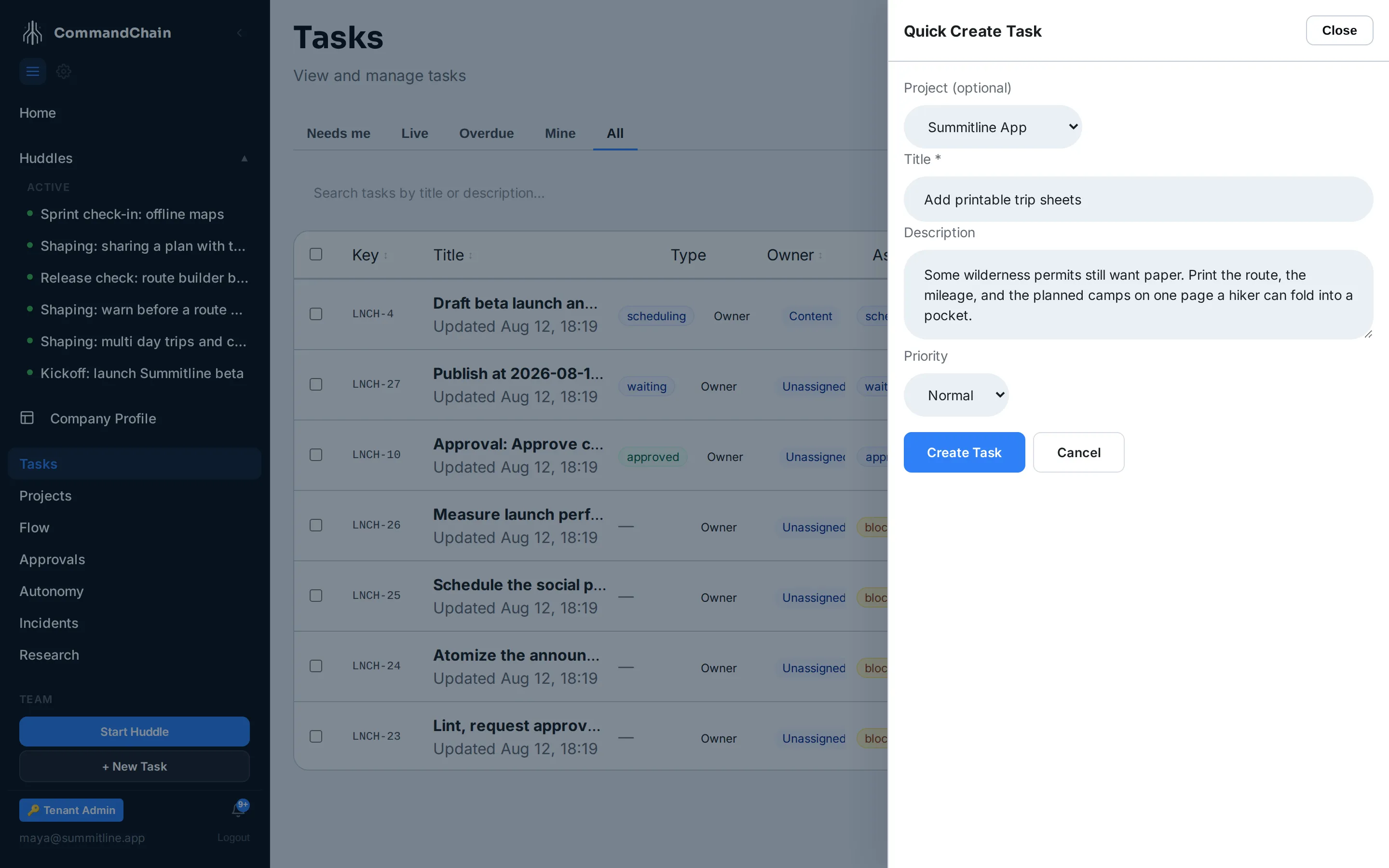
What happens when you save
Section titled “What happens when you save”- The task gets a short key minted from its project, the next in that project’s sequence. Maya’s lands as
SUM-30. Keys are how you search, link, and open a task, and this one never changes. - It starts at status open, owned by your role and unassigned.
- It appears in the task list and, if you chose one, on the project’s Tasks tab.
Nothing executes yet. Work starts when the task is assigned, which is the signal that it is ready to run.
From the full create page
Section titled “From the full create page”The Tasks page’s + New ▾ menu creates a specialized task type instead: content, verification, or a scheduled trigger. Each opens the same drawer with its own extra fields, for example a content task’s pillar and route. Approval tasks are not in the menu, because the platform raises those itself.
There is also a full-page form at Tasks, then Create new task from the command palette. It carries the same fields as the drawer plus an owner role, an assignee, and a due date, so it is the one to use when you want to hand the task over in the same step as creating it.
Next steps
Section titled “Next steps”- Assign a task: the step that turns a task into work.
- Work in the Task Workspace: the page a saved task opens onto.
- Task types: what the specialized types change.