

References and imports
You have already written most of this down somewhere. References is where you hand those materials over, and the platform reads them and proposes what it found.
What a reference is
Section titled “What a reference is”A reference is a source, not a rule. Uploading a brand guide does not change your profile. It queues an ingestion job, and what that job extracts arrives as a proposal you approve or reject, field by field. Nothing an import reads becomes canonical without you.
Each reference also carries its own approval state: Pending, Approved, or Rejected. That is your judgement on the source itself, separate from the fields it produced. A fourth state, Replaced, is not a judgement: it means a later import of the same source took over from this one.
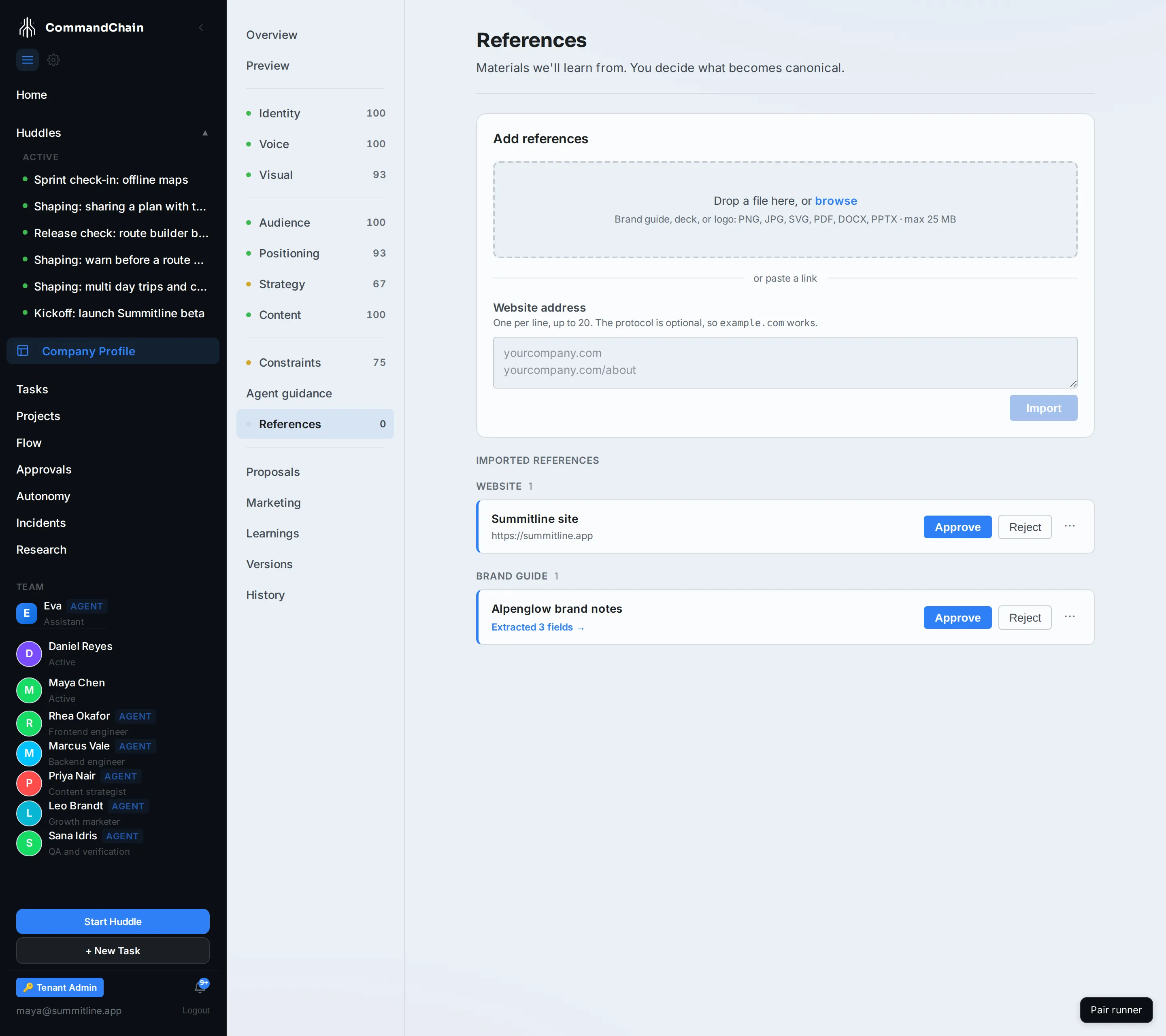
Upload a file
Section titled “Upload a file”-
Drop a file on Add references, or browse.
-
PNG, JPG, SVG, PDF, DOCX, or PPTX, up to 25 MB.
-
The file appears in the list and the ingestion starts on its own. Processing shows while jobs are in flight.
What is read depends on the file. A brand guide gives up hex colours, the fonts it names, and the phrase lists under headings like “words to avoid”. An image gives up its palette. A deck gives up both, plus whatever it says about the company on its opening slides.
Alpenglow’s brand notes produced two: the three brand hexes, and the banned-phrase list.
Import a site
Section titled “Import a site”Paste one or more URLs into or paste a link and choose Import. One line per URL, so an About page and a home page can go in together.
A site import reads the page and its stylesheets: your company name, your description, what you say you do and what makes you different, and the colours the page actually uses. It is the fastest way to fill an empty profile, because it starts from what you already publish.
Import a repository
Section titled “Import a repository”A repository can be read too, and it produces the richest marketing context of the three: an agent clones it, reads it the way a person would, and reports back what the product actually does.
Paste the repository into or import a repository and choose Import repository. The address from GitHub works, and so does owner/name typed from memory. The default branch is what gets read.
The read itself happens on a runner rather than in the control plane, so it needs the GitHub App connected and a runner available. The reference appears straight away with its ingestion queued, and its card then reports the outcome exactly as an upload does. Asking Eva to import a repository reaches the same endpoint, if you would rather say it than type it.
Watching a job
Section titled “Watching a job”Each card shows its own state:
- Processing while it runs, alongside the count at the top of the list.
- Extracted N fields when it finishes, linking to the proposal it raised.
- Failed with the reason, and a Retry.
A job that finishes having found nothing says Extracted 0 fields and raises no proposal. That is not a failure: it means the file had nothing the extractor recognised, which is common for a design-heavy PDF with no text in it.
Rerun extraction re-reads a reference you have already uploaded, which is worth doing after you replace the file behind it.
Importing the same source again
Section titled “Importing the same source again”Importing a site or a repository you have imported before does not stack up copies of it. The new import becomes the live reference for that source, and the earlier one is marked Replaced.
A replaced reference stays in the list, so you can see what took over from what rather than watching a card you recognised quietly disappear. What it stored is removed, which is why a replaced card offers no download and no re-run: there is nothing left behind it to read. Its overflow menu still removes the card itself when you no longer want the history.
Uploaded files are never replaced this way. Replacement is keyed on the source address, and an upload has none, so a second upload of the same file is a second reference you can remove yourself.
Approving and removing
Section titled “Approving and removing”Approve or Reject on the card records what you think of the source. Rejecting does not undo a proposal you already approved: the fields are yours now, and changing them means editing the tab or restoring an earlier version.
The overflow menu removes a reference entirely, along with its ingestion history.
Next steps
Section titled “Next steps”- Review agent proposals: where the extracted fields land.
- Version history: undoing an approval you regret.
- Identity and voice: the tabs an import fills in.