

Manage the runner fleet
Settings → Operations → Runners is the fleet: every machine registered to your workspace and what each one is doing. It needs the manage_integrations permission, the same one that lets you pair a runner in the first place.
The fleet table
Section titled “The fleet table”One row per runner, with the columns that answer “can this machine take work right now”:
| Column | Says |
|---|---|
| Name | The machine’s display name, chosen at pairing. Two runners may share one, which is what pairing a machine again produces |
| Mode | Self-hosted or managed |
| Adapters | Which coding agents it detected |
| Platform and Reported containment | What the runner reports about its own sandbox |
| Last heartbeat | How long since it checked in |
| Status | Active, stale, or offline |
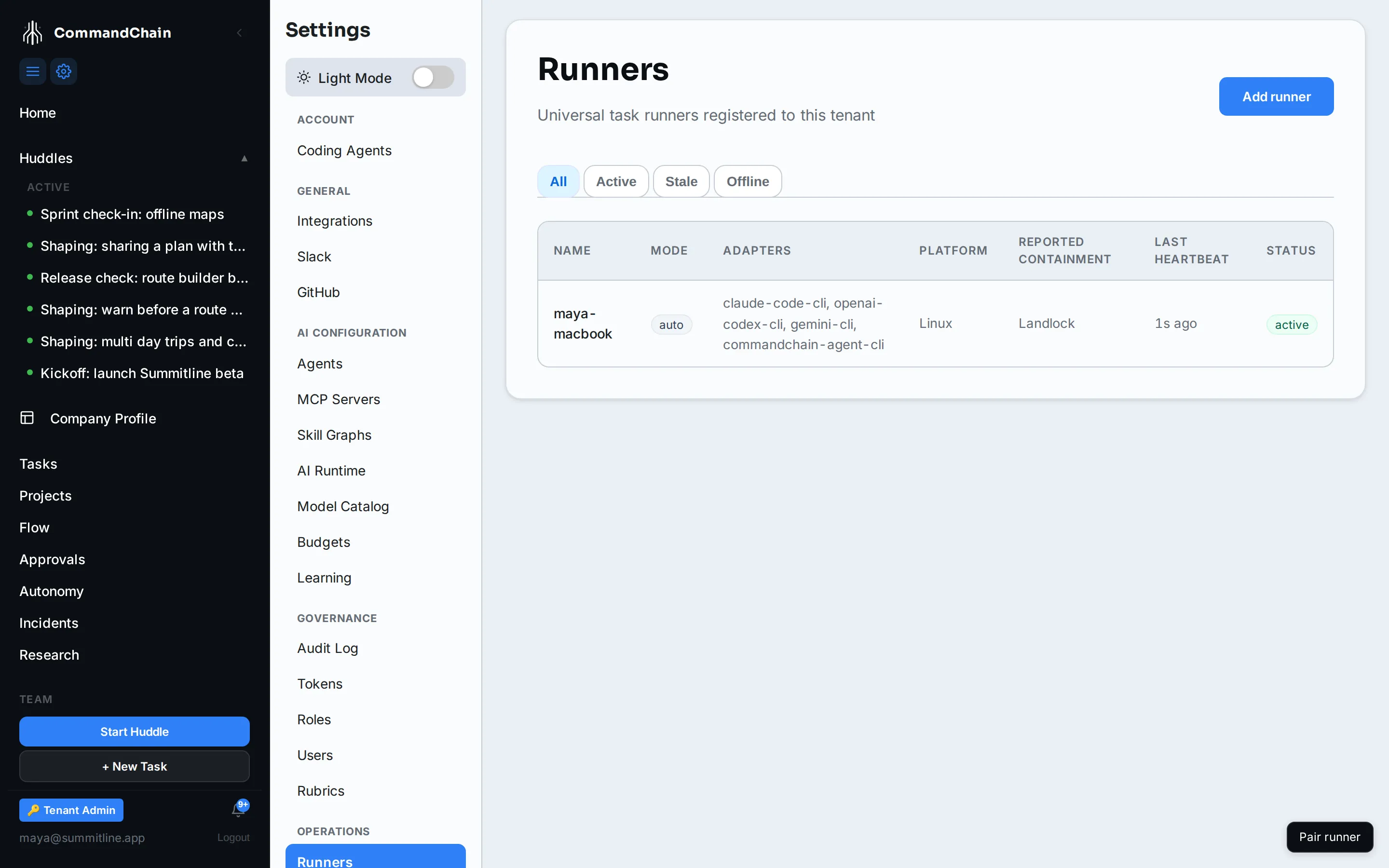
The tabs above the table filter to Active, Stale, or Offline. A machine grades itself by heartbeat: gaps mean the process is not running or cannot reach your workspace, which is a different problem from a run failing.
Runner detail
Section titled “Runner detail”Selecting a row opens the drawer for that machine: its registration, its adapters, its recent activity, and the controls for it. The selected runner is in the URL, so a link to a machine’s detail is a link you can send.
Add a runner
Section titled “Add a runner”Add runner opens the pairing flow without leaving the page. Installing on the machine is one command; the browser side is approving the device code it shows you. See pair a runner for both halves.
Revoke one
Section titled “Revoke one”Revoking a runner stops it taking new work. Do it when a machine is decommissioned, when a laptop is lost, or when a runner is behaving in a way you have not diagnosed.
Two things worth knowing before you do:
- Its history stays. Runs and attempts that machine performed keep pointing at it, because a fleet that forgot what a revoked machine did would be useless the moment you needed it.
- The machine can pair again under the same name. Names are not unique, so recovering a revoked runner does not mean renaming it. You get a second entry, and this one can be retired once the new one is online.
Draining is the gentler option when the machine is healthy and you simply want it to stop: it finishes what it has and takes nothing new.
Next steps
Section titled “Next steps”- Pair a runner: both halves of the device-code flow.
- Runner troubleshooting: what stale and offline usually mean.
- The runner security model: what the containment column is reporting.