

Install a runner
A runner is a small program on a machine you own that executes your team’s work inside a sandbox. Until one is connected, your agents can plan but cannot execute. This is the last phase of setup, and it is one command.
The installer pairs your machine with your workspace and signs the runner in to a coding agent. You choose whether it then runs in your terminal, where you can watch it work and stop it when you are done, or in the background, where it starts with the machine. The runner keeps its own sign-in on that machine, separate from your own, and uploads it only if you choose to push it for managed runs. See managed runner credentials.
This page is the happy path from that command to a paired runner. For adapters, security, credentials, and day-2 operations, see runners and execution.
What you’ll need
Section titled “What you’ll need”- A Linux machine (kernel 5.13 or newer) or a macOS machine.
- Nothing else. The installer knows where CommandChain is.
Install and pair
Section titled “Install and pair”-
Run the installer
Section titled “Run the installer”On the machine that should execute your work, run the one-liner. It installs the runner and then runs it right there in your terminal, so you can watch it work.
Terminal window curl -fsSL https://github.com/commandchain-ai/commandchain-runner-dist/releases/latest/download/install.sh | shNothing is installed as a background service, so the runner stops when you press Ctrl-C or close the window. Start it again any time with
commandchain-runner.When you want it to keep working after you close the terminal, add
--serviceand it installs as a background service that starts with the machine. You can do that later, on a machine where you already ran the command above.If you run CommandChain yourself rather than using the hosted product, add
--server https://your-commandchainto point the machine at your own instance.You can also open Settings, then Runners, then Add runner in the app to get the exact command for the workspace you are looking at.
The installer needs no administrator rights and no runtime. There is no Node, no build step, and no token to paste. It downloads one executable for your CPU, verifies it against the release checksums, installs the coding-agent tool, and checks that this machine can actually contain an agent. The runner then opens your browser to pair, on its own screen.
-
Approve it in your browser
Section titled “Approve it in your browser”The installer opens a device-code approval page in your browser. Sign in if prompted, then check that the runner name matches the machine you just ran the installer on, and select Approve. You never paste a token into the terminal: the credential comes back over the wire into a private file and is never printed.
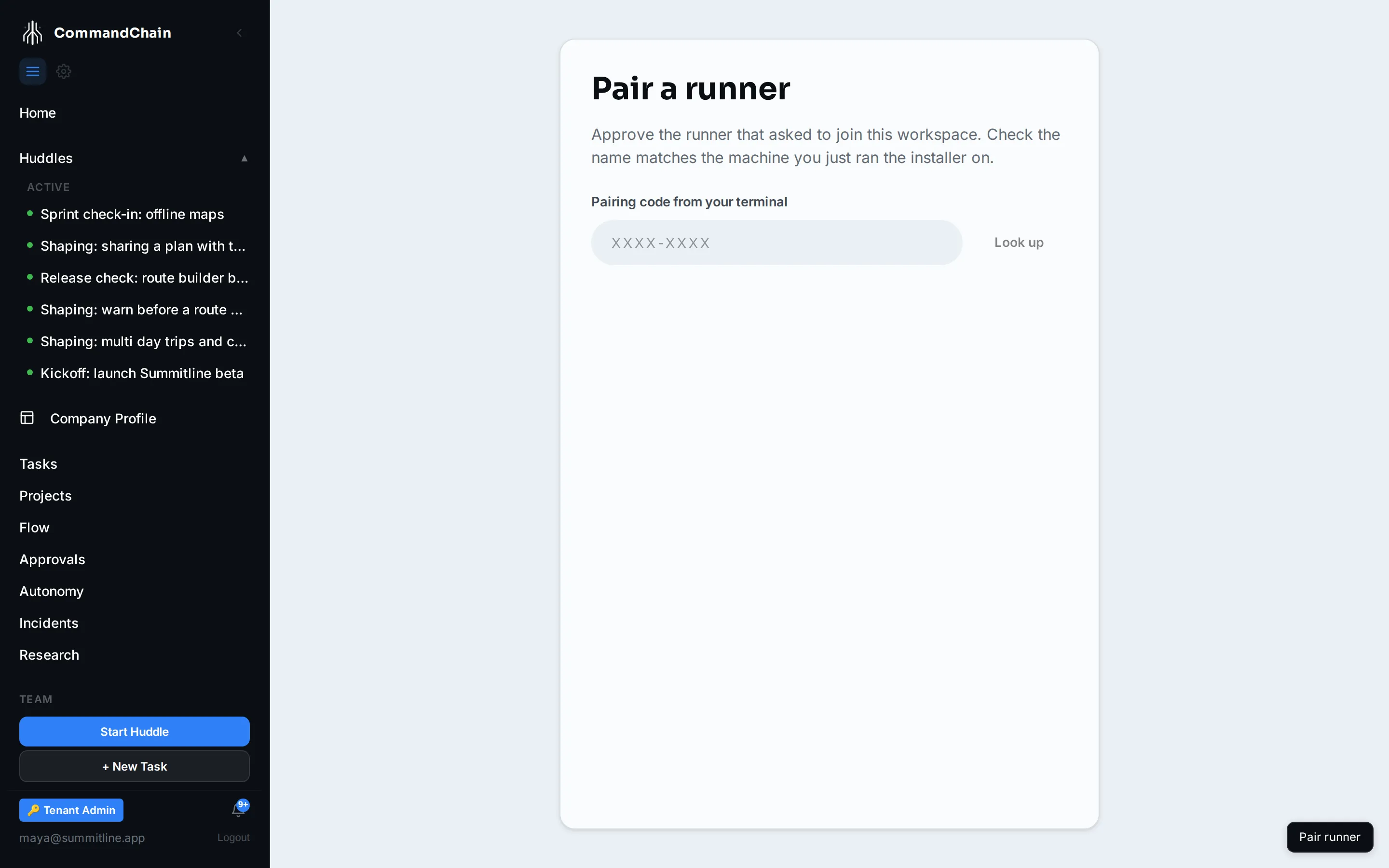
-
Sign your runner in to a coding agent
Section titled “Sign your runner in to a coding agent”When there is a terminal, the installer runs Claude Code’s own sign-in for the runner. Your browser opens to finish it, and the installer prints:
Terminal window 7. Coding agent sign-in for this runner✔ The runner is signed in to Claude Code. Nothing is uploaded.That line is about the sign-in itself: the runner writes it on this machine and sends nothing then. If you later want managed runs to use this same sign-in, you push it yourself with
commandchain-runner creds push --agent claude-code --from-runner-signin. See managed runner credentials.If it could not (no terminal, or you skipped it), open the runner on that machine with
commandchain-runnerand follow its prompt: press enter to sign in to Claude Code, or press s to choose Codex or Gemini CLI, or to use an API key. Prefer one command? Runcommandchain-runner signin --agent claude-code(or codex, gemini), orcommandchain-runner signin --agent claude-code --api-key. The setup wizard waits for the runner to report it. -
Confirm it is online
Section titled “Confirm it is online”Once the runner sends its first heartbeat, the approval page shows it as connected. You can re-check from the machine at any time:
Terminal window sh install.sh --status
Any time after
Section titled “Any time after”Run commandchain-runner on that machine. On a terminal install that is how you start it again; on a background install it attaches to the runner already running and shows its status and anything left to do. See The runner screen.
Re-running and removing
Section titled “Re-running and removing”Re-running the installer is a safe upgrade. It keeps your pairing, replaces the program, and rolls back if a new release cannot stay up.
sh install.sh # upgrade, run it in this terminalsh install.sh --service # upgrade, keep it running in the backgroundsh install.sh --uninstall # stop and remove the servicesh install.sh --uninstall --purge # also delete credentials and workspacesNext steps
Section titled “Next steps”Your runner is paired and signed in, and the capabilities that were locked during setup are now available. The setup wizard notices on its own and resolves to your finished team.
- Runners and execution: adapters, the security model, credentials, and workspaces.
- Your first task: dispatch a task and watch it run.
- The runner screen: the next step on that machine, whenever there is one.
Rather not install anything? Run on CommandChain managed servers.