

Set an agent budget
A budget on an agent is how you keep one teammate small without touching the rest. This page uses Leo Brandt, the growth marketer on Maya’s team, because campaign work is the kind that quietly gets expensive.
What you’ll need
Section titled “What you’ll need”- The agent, on its own page.
- A number you are willing to spend. Start lower than you think and raise it, rather than the other way round.
-
Open the Budget tab
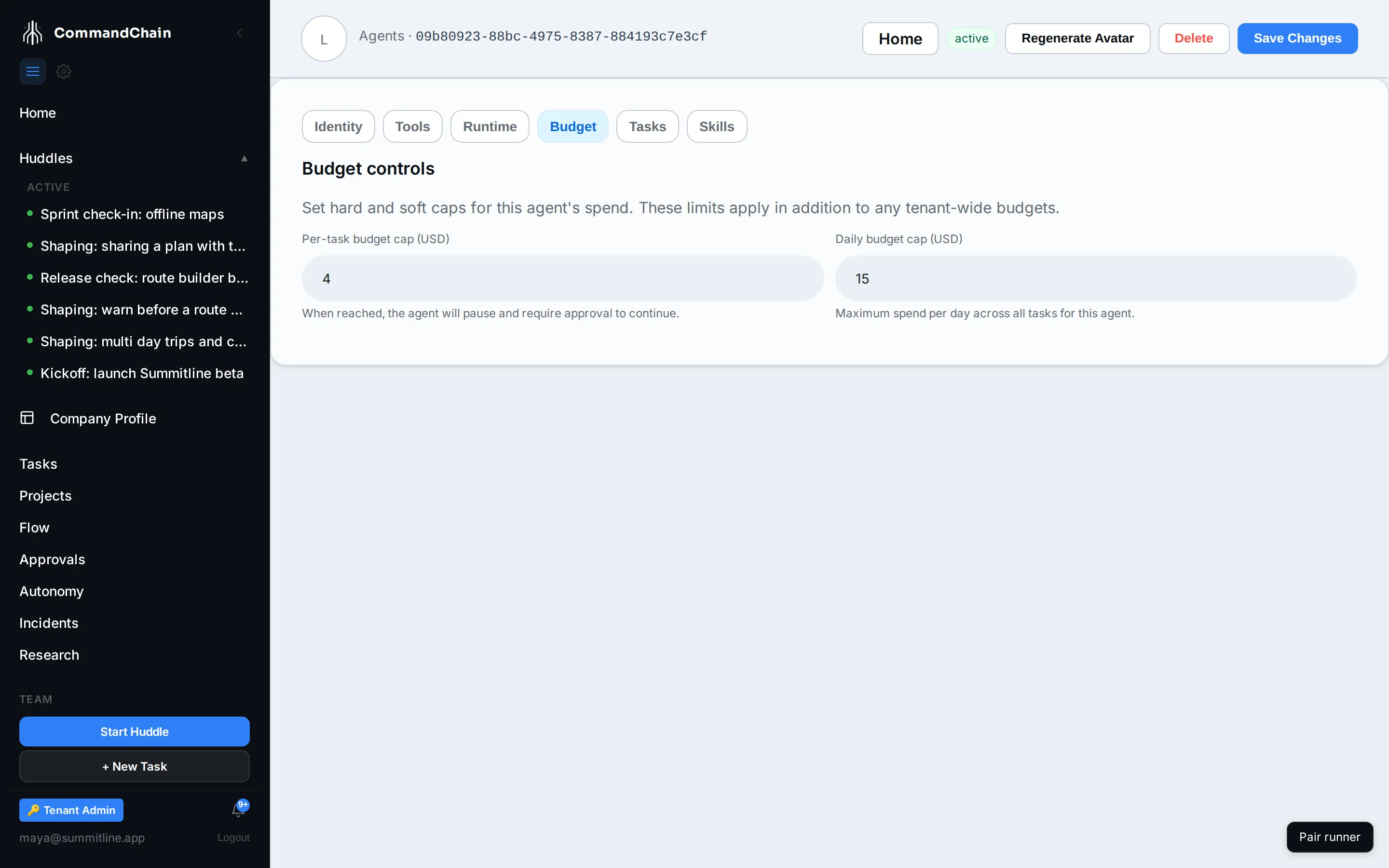
Section titled “Open the Budget tab”From the agent’s page, select Budget.
-
Set the caps
Section titled “Set the caps”- Per-task budget cap (USD): the most this agent may spend on a single task. When it is reached, the work pauses and asks for approval instead of continuing.
- Daily budget cap (USD): the most this agent may spend in a day, across everything it is doing.
Either can be left empty, which means this agent adds no limit of its own and works inside the workspace budget alone.
-
Save Changes in the header applies them. The per-task cap then shows on the agents list, so you can read your whole team’s ceilings in one column.
How it fits with everything else
Section titled “How it fits with everything else”An agent budget narrows, it never widens. A run’s budget is resolved down a chain: platform default, then your workspace budget, then any per-task-type override, then the agent’s own caps. The tightest limit in that chain is the one the run executes inside, so setting a generous agent cap does not raise a workspace cap that sits below it. See budgets.
The same rule holds for delegation. When Leo hands a piece of work to another agent, the delegated budget is capped by his, never expanded by it.
What reaching one looks like
Section titled “What reaching one looks like”Reaching the per-task cap is a pause, not a failure. The work stops where it is, the task shows that it is waiting on you, and the run’s own budget line shows how much was spent against the cap. From there you either raise the budget for that task or leave it stopped.
Raising is a decision somebody makes on purpose: it is limited to the project’s owner and its approvers, and it is written to the audit trail with who granted it. An agent cannot raise its own budget, which is the entire point of the cap.
Next steps
Section titled “Next steps”- Budgets: the full chain a run’s limits come from.
- The autonomy ladder: the permission limit beside the spend limit.
- Configure an agent: the rest of the agent’s page.