

Decide an approval, and close the loop with feedback
Two task types exist for the two ends of a decision: the one that asks you before something happens, and the one that reports back afterwards.
Approval tasks
Section titled “Approval tasks”An approval task is the platform asking a question it is not allowed to answer. It carries the proposed action, and the work that raised it waits rather than guessing.
This page uses LNCH-5, the Summitline waitlist email waiting on Maya.
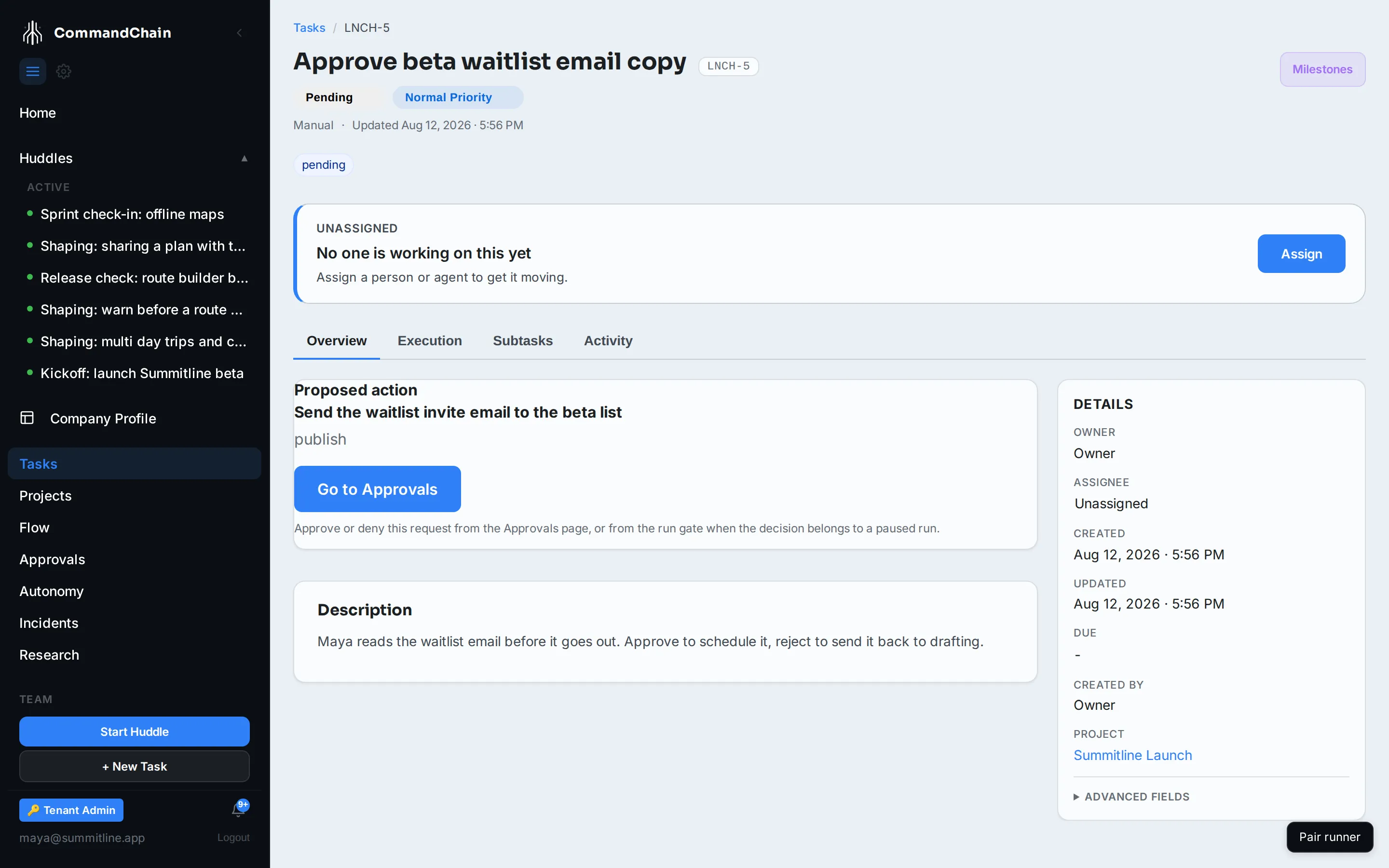
Reading one
Section titled “Reading one”The task’s Overview shows what is being proposed and, where there is one, the reason. The kinds of action you will see:
| Kind | Example |
|---|---|
| publish | Send the waitlist email to the beta list |
| tool call | Use a tool the agent’s autonomy level will not let it use alone |
| budget override | Spend past a run’s cap |
| state transition | Start a run for an assigned task |
An approval an agent raises in the middle of a run also holds that run, for ten minutes. If nobody answers inside that time the run stops and saves its work, and the task that raised the question moves to blocked, listing this approval as what it is waiting on. Approving it later releases that task and starts a fresh run that carries on from the saved work. Denying it later leaves the task open and starts nothing. The queue side of the same deadline is in the approvals queue.
Deciding one
Section titled “Deciding one”-
From the task, select Open in Approvals (or Open run gate, when the decision belongs to a paused run).
-
In the queue, read the request, then Approve or Deny. A denial takes a reason.
-
The work that was waiting continues, or does not, on the answer.
Approve and deny live in the approvals queue and on the run gate, not on the task page. One decision, one place to make it, whether it came from a content pipeline or a paused run.
A run’s approval gate is answered by the person who started the run, or by a workspace admin. Anyone else is refused, so a paused run is never resumed or cancelled on somebody else’s behalf by a colleague who happened to see it in the queue.
The four outcomes
Section titled “The four outcomes”pending while it waits, then approved, rejected, or expired. For a content task, approved sends the draft to scheduling, rejected sends it back to drafting, and expired kills it with that reason recorded.
Feedback tasks
Section titled “Feedback tasks”A feedback task is the other end of the loop. Something shipped, and the question is what happened.
It carries:
- A subject, the thing being measured, usually a published post or a completed run.
- Metric sources, where the numbers come from.
- Collection windows, the times at which to look. Several windows means a day-one number and a day-seven number rather than one snapshot.
The lifecycle
Section titled “The lifecycle”| State | Means |
|---|---|
| awaiting window | Waiting for the next collection time |
| collecting | Reading the metric sources |
| collected | Numbers are in |
| learned | Read and closed, with the conclusion recorded |
Collection retries on its own when a source is briefly unavailable, and a window that keeps failing records the error rather than a zero. A window with no data says so.
Reaching learned is what closes the parent content task as done. Results come back as work, not as a dashboard nobody opens.
Next steps
Section titled “Next steps”- The autonomy ladder: what turns an action into an approval.
- Run a content task: the pipeline that spawns both of these.
- Act on notifications: how a decision reaches you.