

Connect Slack
Settings → Slack sends notifications to your Slack workspace and shows the events Slack sends back. It needs the manage_integrations permission.
Connect a workspace
Section titled “Connect a workspace”The page shows one of two states.
Not configured is where every workspace starts. Connect Slack begins the OAuth flow, which needs Slack registered as an integration with OAuth2 client credentials first. If it is not, the button says so rather than failing quietly.
Connected means the platform holds a bot token and a signing secret and has confirmed them with Slack. The bot token posts messages; the signing secret is how inbound requests are verified as genuinely from Slack.
Route notifications
Section titled “Route notifications”Channel routing is set per notification kind, and it is stored against your workspace independently of the connection, so you can decide the channels before Slack is connected.
| Notification | Goes to | Alpenglow uses |
|---|---|---|
| Incident alerts | Something breached a guard or failed | #incidents |
| Huddle summaries | A huddle ended and produced a summary | #huddle-notes |
| Approval requests | Something is waiting on a person | #approvals |
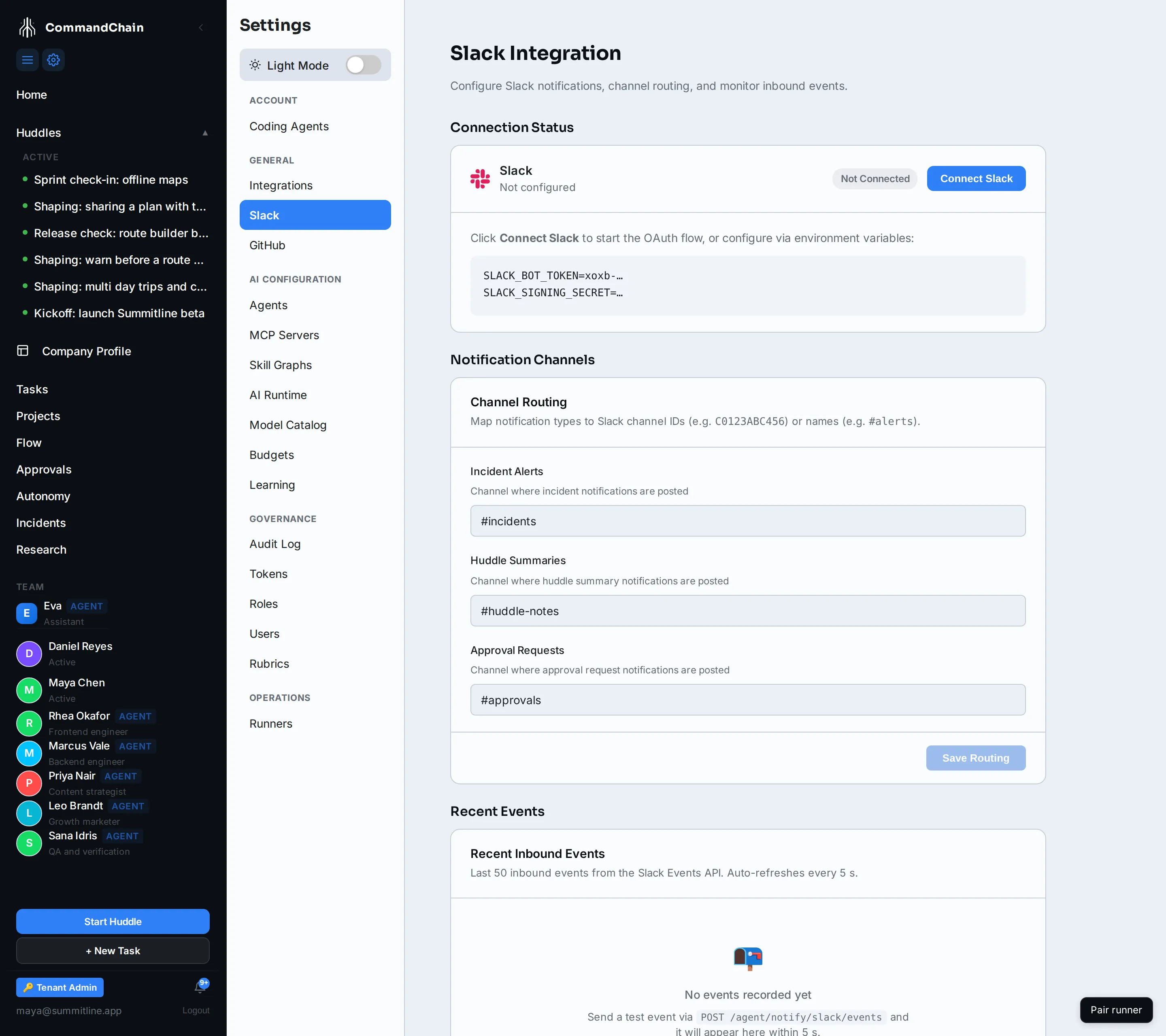
A field takes a channel id (C0123ABC456) or a name (#incidents). Leaving one blank means that kind is not posted to Slack at all; it still appears in notifications in the app.
Route approval requests to a channel people actually read. It is the one kind that is asking somebody to do something.
Inbound events
Section titled “Inbound events”Recent Events lists the last 50 inbound events from the Slack Events API, refreshing every few seconds. It is a diagnostic: it answers “is Slack reaching us at all” without leaving the page. An empty list on a connected workspace means Slack has nothing to send yet, which is normal.
Slash commands
Section titled “Slash commands”There are no slash commands in this release. The endpoint Slack posts to exists and acknowledges, so a command configured in Slack will not error, but nothing acts on it. Everything you would want a command for is in the app.
Next steps
Section titled “Next steps”- Work the approvals queue: where the decisions are made.
- Notifications: the in-app centre Slack mirrors.
- The integration registry: where Slack’s OAuth2 credentials are registered.