

Merge a huddle's outcomes into a project
A huddle produces three things: work, a record of what was decided, and whatever was built in the room. Shipping its drafts moves the first two into the project, so the conversation stops being a transcript and becomes the project’s state.
This page follows the Summitline kickoff into Summitline Launch.
Ship it
Section titled “Ship it”-
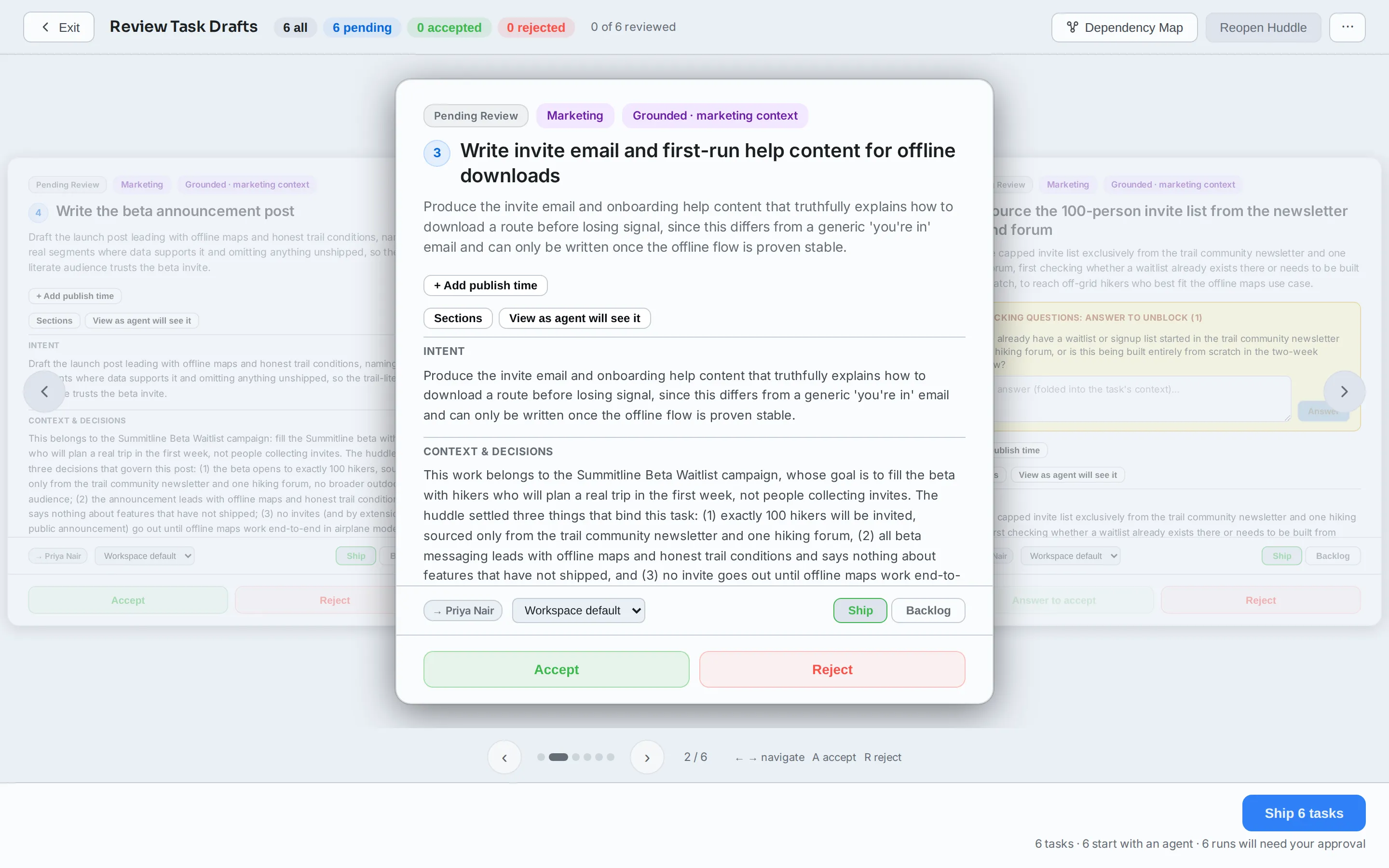
Open the huddle and review its drafts. Reject the ones that are not real work, and set any you do not want started yet to Backlog.
-
Ship N tasks. There is no second screen and no staging step: the line under the button already says how many tasks it will create and how many of them will start.
What lands where
Section titled “What lands where”| What the huddle had | Where it goes |
|---|---|
| Task drafts you did not reject | Tasks in the project, each with a short key in the project’s sequence |
| Decisions, requirements, scope, risks, open questions | Project Data, tagged with the huddle they came from |
| Dependencies between drafts | Kept, so a task that waits on another still does |
| Artifacts (diagrams, decks, captured pages) | Stay on the huddle, and are reachable from it forever |
Artifacts are the one thing that does not move. A deck belongs to the conversation that produced it, and the huddle stays linked from every task and from the project’s Huddles tab, so nothing is stranded.
Check that it landed
Section titled “Check that it landed”Shipping takes you straight to the project’s Tasks tab, which is the answer to the first of these. Check three places, in this order:
-
Tasks. The new work, numbered in the project’s sequence. This is the same set from the other side.
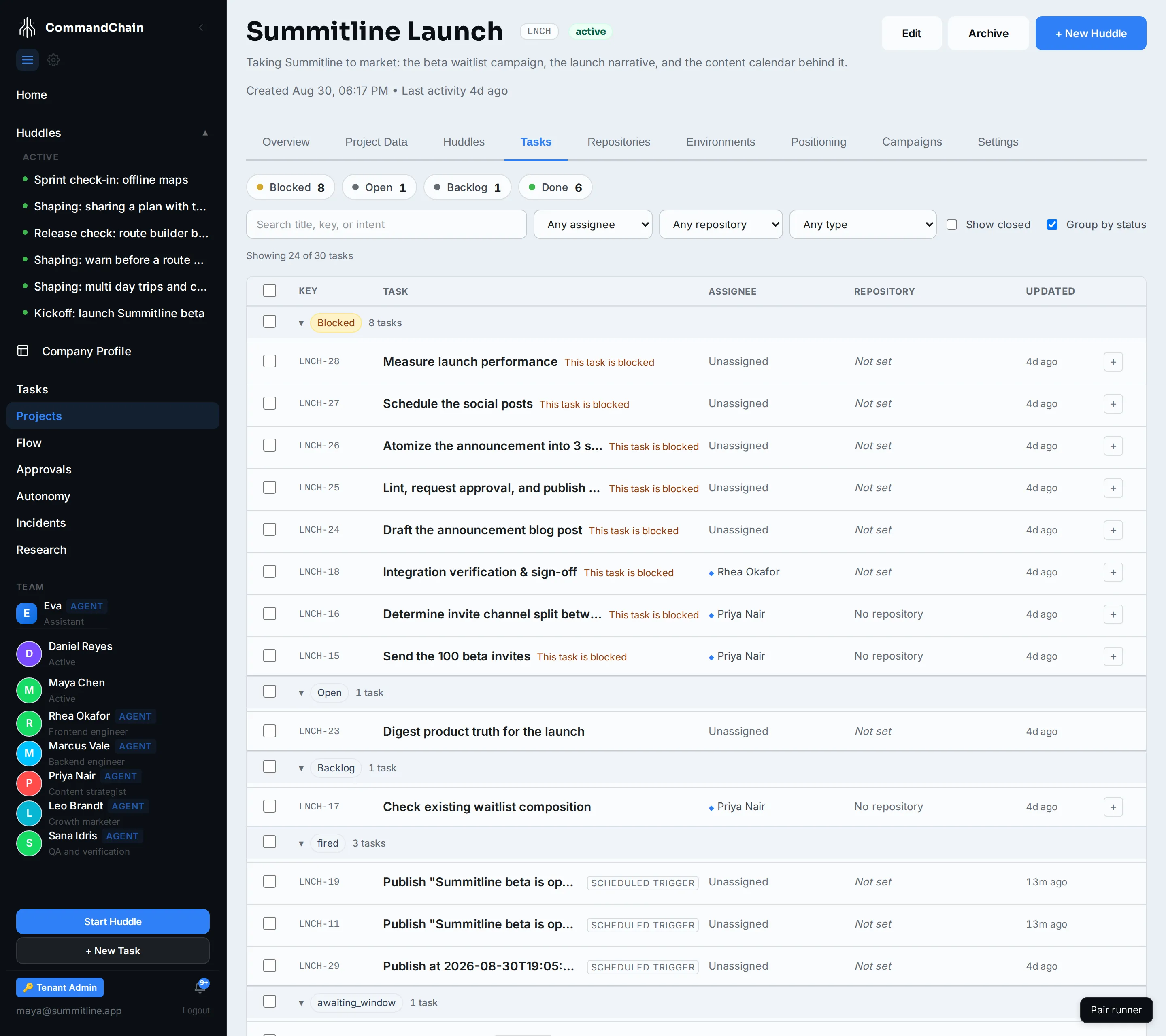
Each task carries its priority, its status, and the agent it went to, and each links back to the huddle it came from. A task that shipped ready sits open; one you sent to backlog sits backlog; one waiting on another task in the same set sits blocked until that one is done. If a run is waiting on your approval, a banner at the top of this tab says so.
-
Project Data. The decisions, requirements, and scope items the huddle recorded, each tagged with that huddle. A conversation that produced work without recording any explicit decisions leaves this tab where it was, which is not a failed merge: nothing was dismissed, there was simply nothing of that kind to promote.
-
Overview. The counters are the same numbers as the two tabs above, and each is a link into the tab behind it.
Shipping twice
Section titled “Shipping twice”A huddle ships once. Afterwards its drafts are merged or rejected, none are reviewable, and the review screen is gone: the project’s Tasks tab is where the work lives from then on, and the huddle stays linked from every task it produced.
Rejecting a draft drops it from that promotion. It is not deleted from the huddle, so the conversation still records it.
Next steps
Section titled “Next steps”- Review the tasks a huddle proposes: the review-and-ship step before this one.
- Set the project’s intent: what those decisions become.
- Read the Flow board: the shipped work as a tracked initiative.