

Add an agent to your team
An agent is a teammate with a job. You hire one the way you would describe a role to a new person: what they are called, what they own, and how you want them to work. This page follows Maya adding Sana, the agent that verifies Summitline before it ships.
What you’ll need
Section titled “What you’ll need”Nothing but a name and a role. Everything else has a sensible default and is editable afterwards.
-
Open the agents page
Section titled “Open the agents page”Your teammates are listed under Team in the sidebar, and selecting one opens its home page. Agents in that page’s breadcrumb takes you to the full list, which is also at
/app/agents.The list shows every agent with its role, whether it is active, how many tools it holds, its per-task budget, and when it last changed.
-
Start a new one
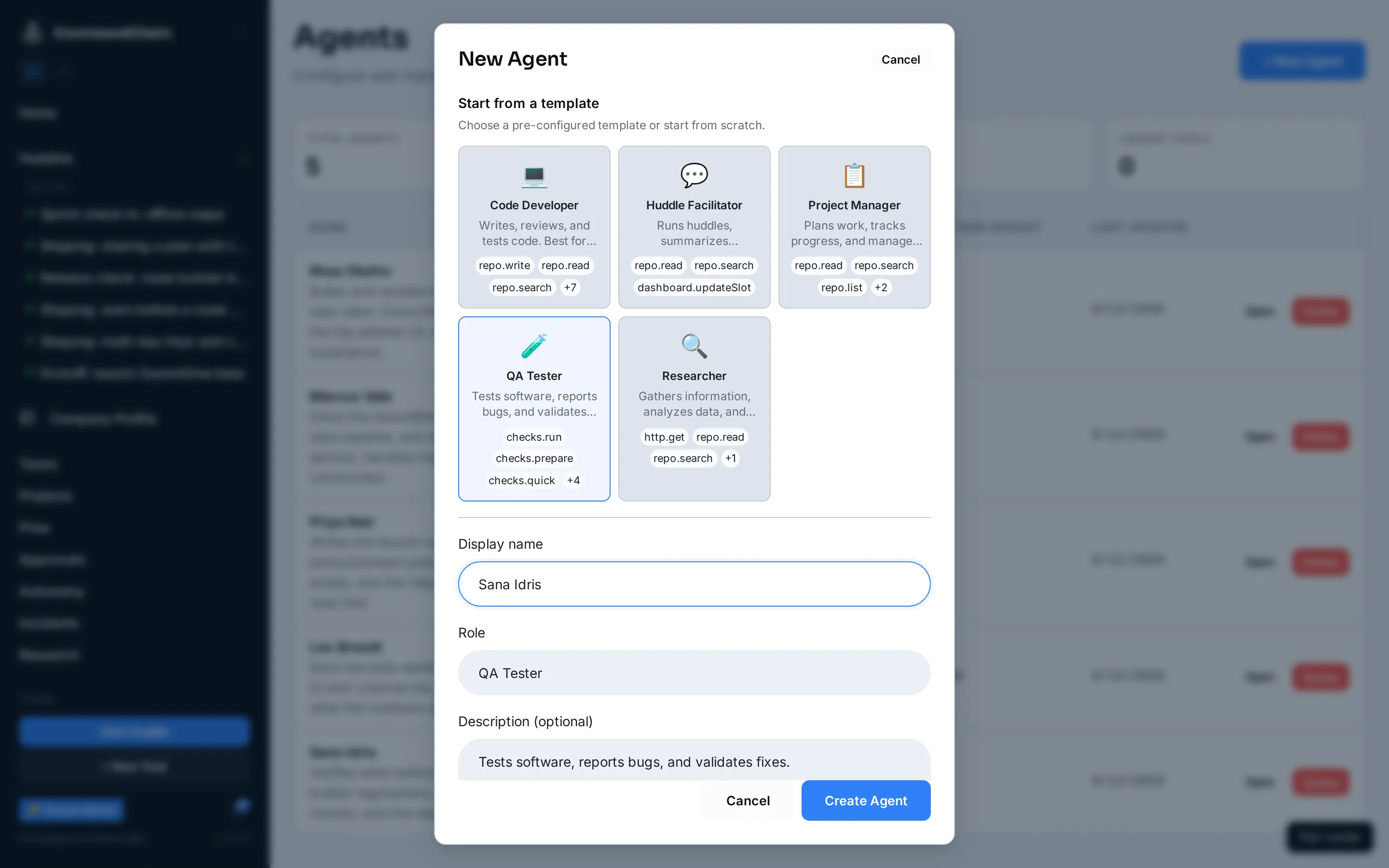
Section titled “Start a new one”New Agent opens the create form.
-
Start from a template, or do not
Section titled “Start from a template, or do not”The catalog at the top holds five starting points: Code Developer, Huddle Facilitator, Project Manager, QA Tester, and Researcher. Choosing one fills in the role and a set of tools that fits it. It is a starting point, not a type: everything it sets is editable.
Maya picks QA Tester, because verifying work before it ships is what she is hiring for.
-
Name it, and say what it owns
Section titled “Name it, and say what it owns”- Display name is what everybody sees, in huddles and on tasks. Give it a human name.
Sana Idrisreads like a teammate in a transcript;QA Agent 2does not. - Role is the job:
QA and verification. - Description is what this agent owns, in a sentence or two. It is read by the agent itself, and by the routing that suggests who should do a piece of work, so write it as scope rather than as praise.
- Tags are optional labels for your own filtering.
- Display name is what everybody sees, in huddles and on tasks. Give it a human name.
-
Create it
Section titled “Create it”Create Agent adds the agent to your team. It is active immediately and can be invited to huddles and assigned work.
Deleting one
Section titled “Deleting one”Delete on the agent’s page removes it, and asks you to type the agent’s name first. Work the agent already did stays where it is: runs, messages, and tasks are historical records, not the agent’s property.
Next steps
Section titled “Next steps”- Configure an agent: identity, tools, and runtime.
- Set an agent budget: what it may spend.
- Give an agent skills: the procedures it can apply.