

Jump anywhere with the command palette
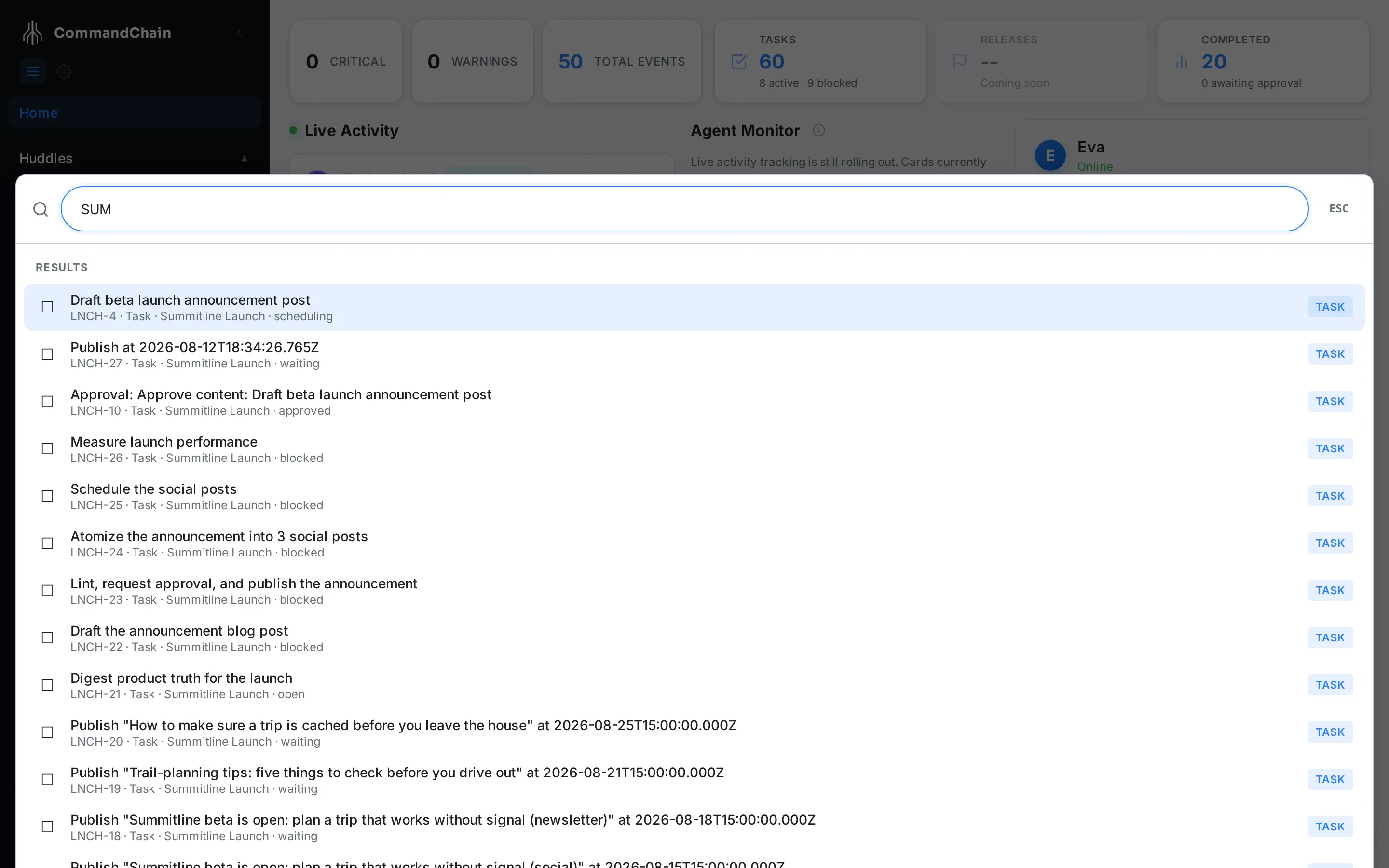
The command palette is the shortest path to anything you have already created. Press Cmd+K (Ctrl+K on Windows and Linux) from any page, type a few characters, and press Enter.
What is searchable
Section titled “What is searchable”| Kind | Matched on | Opens |
|---|---|---|
| Task | Title, short key, project name, status | The Task Workspace |
| Project | Name | The project page |
| Huddle | Title, for active huddles | The huddle |
| Agent | Name and role | That agent’s home page |
| Team member | Name | Your workspace’s people settings |
Plus four quick actions, matched on their own names: Create new task, View huddles, View projects, and View approvals.
The palette searches your work and your team. It does not index settings pages, documentation, or the contents of a task, so reach settings through the gear in the sidebar and search inside a task from the task list.
Five jumps worth learning
Section titled “Five jumps worth learning”SUM-14goes straight to a task by its short key, which is the fastest jump in the product.offlinematches every task with that word in its title, across both projects.Priyaopens the agent home page for Priya Nair, where her recent work is.Sprint check-inopens the active huddle by its title.Create new taskmatches the quick action and opens the create form.
Getting around the list
Section titled “Getting around the list”- Up and down arrows move the selection, and the list scrolls to keep it visible.
- Enter opens the selected result.
- Esc, or a click outside the panel, closes the palette. Cmd+K also closes it.
- The mouse works too: hovering a row selects it.
Results are capped at twenty and tasks come first, so a broad query fills the list before anything else can appear. Project names are the case to know: every task also matches on its project name, so Summitline Launch returns that project’s tasks rather than the project itself. Reach a project through View projects, and type enough to be specific everywhere else.
Recent selections
Section titled “Recent selections”Opening the palette with an empty query shows what you last jumped to, up to five entries, above the quick actions. Clear recent empties that list. Recents are stored in your browser, so they are per device and never shared.
Next steps
Section titled “Next steps”- Read the cockpit: the home screen the palette opens over.
- Act on notifications: the other way work finds you.
- Create a task: what the first quick action does.