

Create a skill graph with Eva
Building a skill graph by hand means deciding a dozen structural questions before you have written a single skill. Eva turns that around: you talk about what you need, she researches how experts actually do it, and you review the draft she produces.
Start from Settings → AI Configuration → Skill Graphs → Create with AI, which opens the Eva panel with the request already typed for you, or just ask Eva directly from the cockpit. Creating a skill graph needs the manage_skill_graphs permission.
The conversation
Section titled “The conversation”There is no form and no fixed script. Eva interviews you the way a colleague would: what domain the skill covers, the concrete jobs it should guide, the house preferences your team holds, and whether you need one skill or a small connected set. Answer in prose. A few exchanges is normally enough.
Confirming the experts
Section titled “Confirming the experts”Before any research starts, Eva names the experts and sources she plans to base the skill on and asks you to confirm or substitute them. This is the step that decides what your agents will learn from, so push back freely: name the practitioners you trust, rule out sources you do not, or ask Eva to look for alternatives.
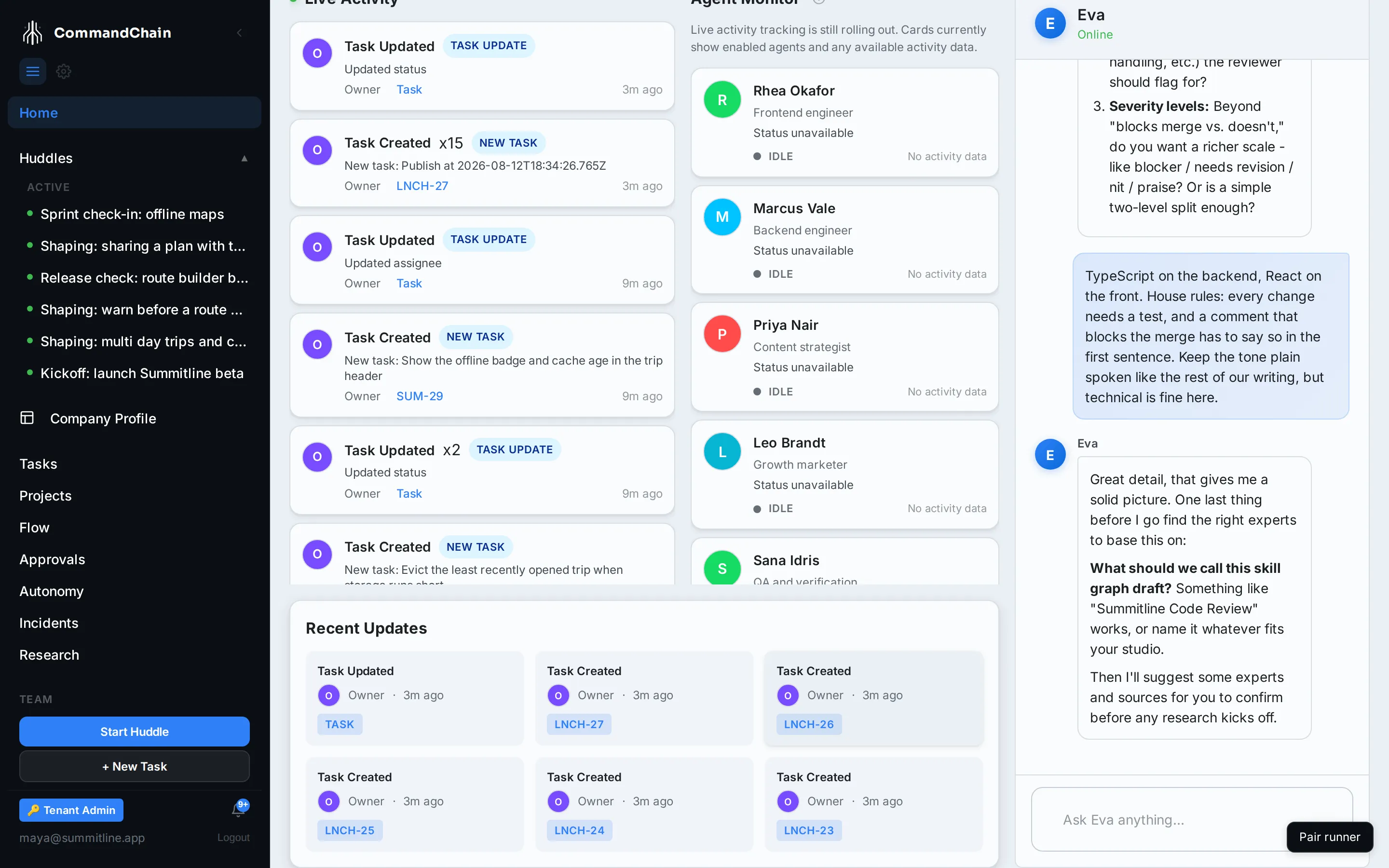
Nothing is researched until you have agreed on the list.
Research and drafting
Section titled “Research and drafting”Once you confirm, Eva starts a background research job and keeps you posted with progress cards in the chat. The job reads what the confirmed experts have published on the topic, distills their guidance into skills, and validates the result before saving it as a draft. Every generated skill records the sources it came from, so you can always see where a piece of guidance originated.
Expect a few minutes rather than a few seconds: the reading is real, and so is the pass that turns it into skills. You can close the panel and carry on. The job keeps running and the card updates when it lands.
Research runs one of two ways, and the workspace picks whichever it has. With an agent runner connected, the runner’s own coding agent does the reading with its built-in web search. Without one, CommandChain researches directly using its search credential. The difference is where the work happens, not what you get.
If the workspace has neither, the job says so plainly and stops, naming what to enable. Eva never fabricates an expert skill from thin air.
When the job completes, the card in the chat links straight to the draft in the Studio.
After the draft
Section titled “After the draft”Open the draft in the Studio, read the guidance on each skill, check the recorded sources, attach the bindings that point at real tools, validate, and publish. If validation required a governance change, such as a skill that now requires approval, the completion card says so explicitly.
Next steps
Section titled “Next steps”- Skill Graph Studio: validate, publish, and roll back what Eva drafted.
- Agent skills: what an agent does with a published graph.
- MCP servers: where the tools behind a binding come from.