

Give an agent skills
A skill is a written procedure an agent can apply: how your team runs an accessibility pass, what your definition of done is, how a migration gets reviewed. Skills live in a skill graph for the whole workspace, and each agent is given the ones it should start from.
What you’ll need
Section titled “What you’ll need”- A skill graph with at least one skill in it. Skill graphs are built in Settings, under Skill graphs, for the whole workspace.
- The agent you are assigning to.
-
Open the Skills tab
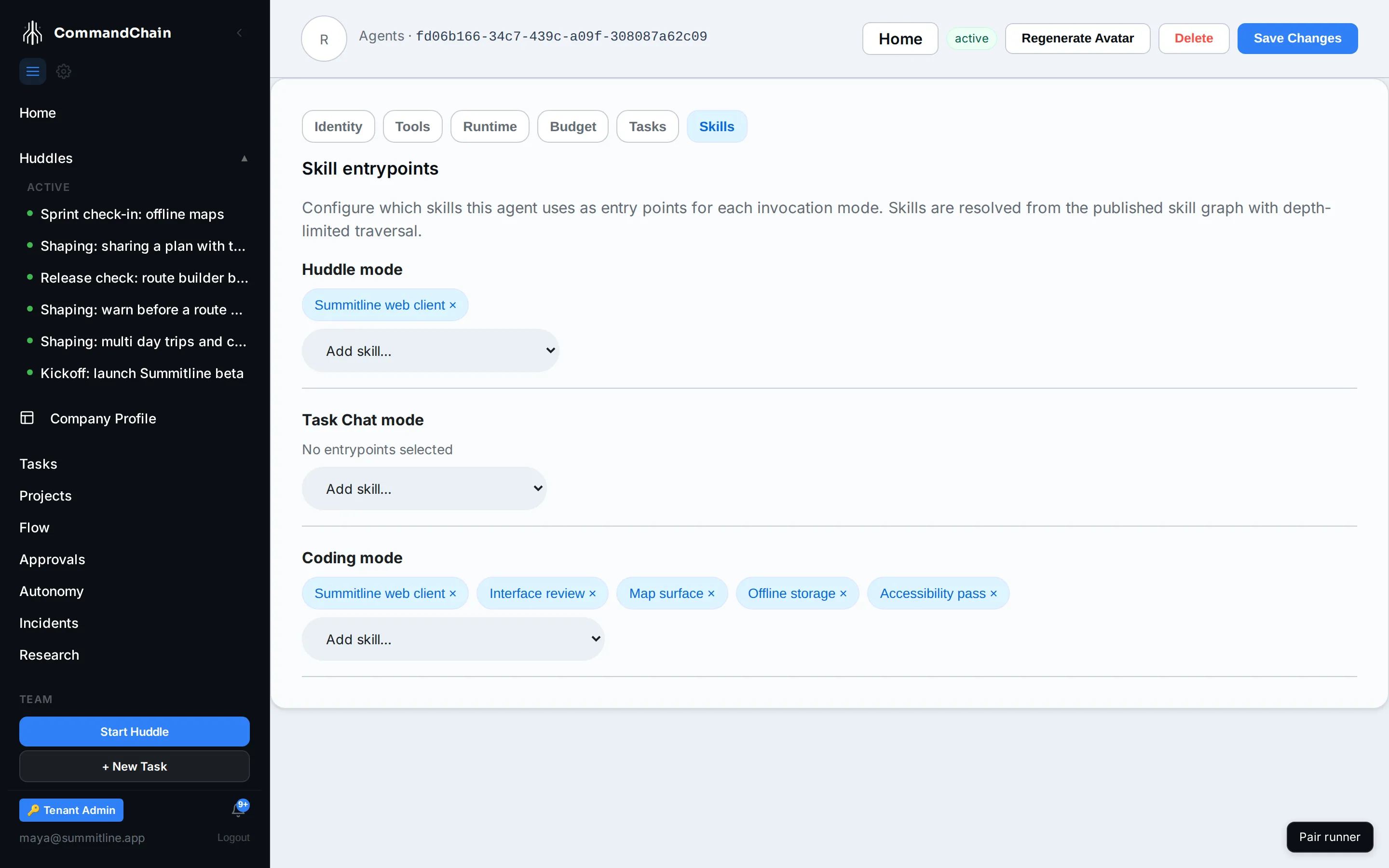
Section titled “Open the Skills tab”From the agent’s page, select Skills. Rhea’s looks like this.
-
Assign entrypoints per mode
Section titled “Assign entrypoints per mode”The tab has one section per invocation mode, because an agent behaves differently depending on where it is working:
Mode When it applies Huddle The agent is talking in a huddle Task Chat The agent is in a conversation on a task Coding The agent is executing a run against a repository Each section lists only the skills your graph allows in that mode, so a coding-only procedure cannot be assigned to huddle turns by accident. Add skill assigns one, and selecting an assigned chip removes it.
Rhea holds the frontend and offline storage skills for coding, and the frontend skill for huddles.
-
Save Changes in the header writes the assignment.
Entrypoints, not a list of everything
Section titled “Entrypoints, not a list of everything”What you assign is where the agent starts, not the full set it can use. From an entrypoint, the graph is walked to a limited depth, so a skill that depends on two others brings them with it. That is why a handful of entrypoints is usually the right number: assigning everything gives the agent a reading list instead of a starting point.
When the tab is empty
Section titled “When the tab is empty”Two different messages, two different causes:
- No skills for a mode. The graph has skills, but none of them allows that mode. Widen the skill’s allowed contexts in the skill graph.
- The graph failed to load. The workspace has no draft graph at all. Create one first.
An agent with no skills is not broken. It works from its role, its description, and its system prompt, which is enough for most teams to start with.
Next steps
Section titled “Next steps”- Configure an agent: identity, tools, and runtime.
- Agents and Eva: where skills sit among the five parts of an agent.
- Agent home pages: what an agent is doing right now.