

Configure an agent
An agent’s page is where everything about it is set. This tour uses Rhea Okafor, the frontend engineer on Maya’s team.
Open it from Team in the sidebar (which opens the agent’s home page, with Settings in its header), or from the agents list.
The header carries the agent’s avatar, its identifier, whether it is active, and the actions that apply to the whole agent: Home, Delete, and Save Changes. Edits across every tab are saved together, so Save Changes is the only thing that writes.
Identity
Section titled “Identity”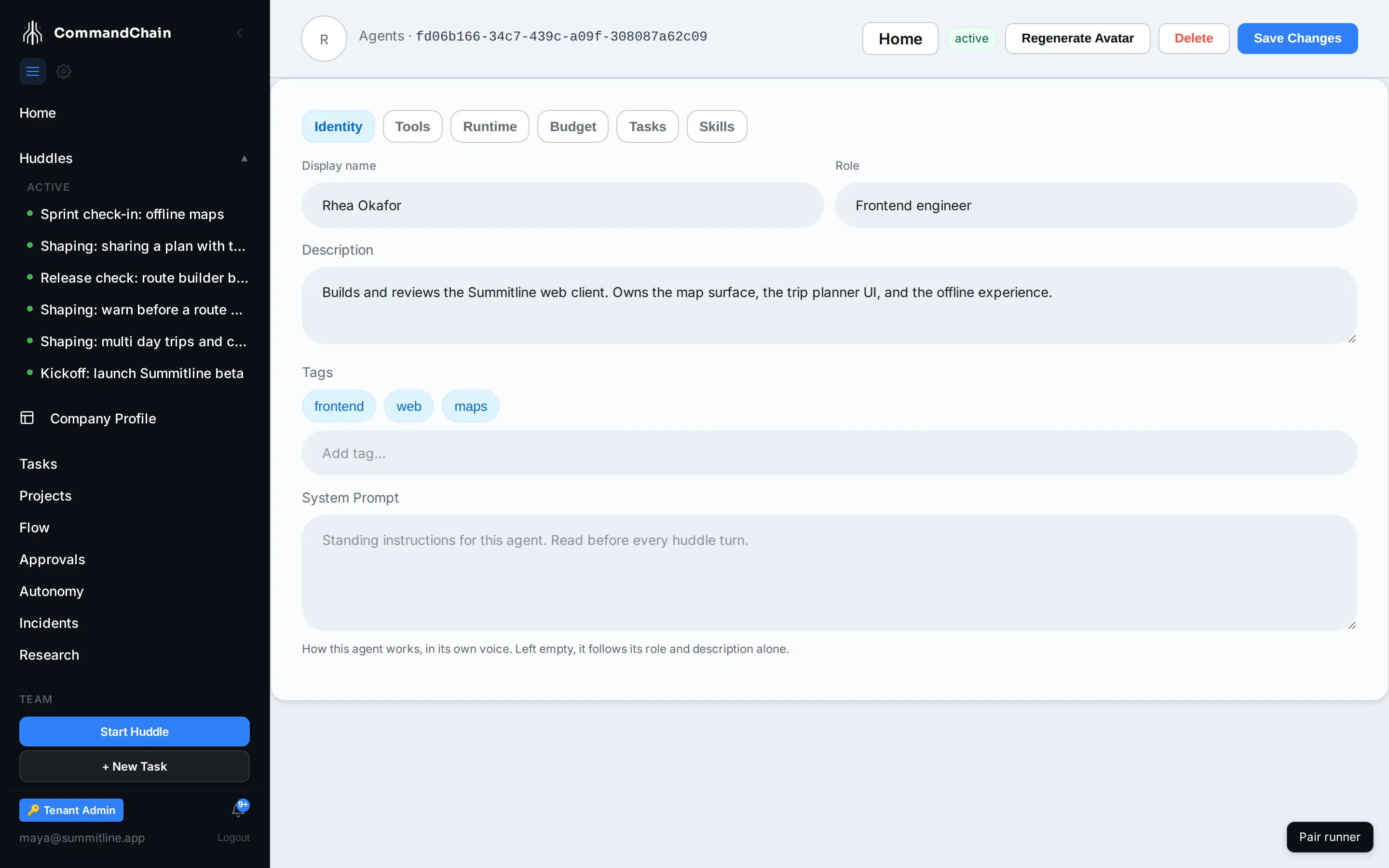
| Field | What it does |
|---|---|
| Display name | What everybody sees, in huddles and on tasks |
| Role | The job, in a few words. Also what the agent’s home dashboard is shaped from |
| Description | What this agent owns. Read by the agent, and by the routing that suggests who should do a piece of work |
| Tags | Your own labels. Type one and press Enter |
| System prompt | Standing instructions in the agent’s own voice, read before every huddle turn |
The system prompt is the highest-leverage field on the page. “Every UI change needs a keyboard path and a visible focus state” changes what Rhea writes, in every huddle, without you repeating it.
What the agent may reach for, grouped by category, with an allow and a deny per tool. An empty allow list is the default, and the tab offers a starting set for the agent’s role.
Denying a tool is stronger than not allowing it: a denied tool stays denied even if something else would have granted it.
Runtime
Section titled “Runtime”Where this agent’s thinking happens. The tab is built around one chain, tried in order at dispatch:
- Backend: inherit the workspace default, run on a runner, or call a model provider directly. Inherit is the default, and the tab shows what it currently resolves to.
- The chain: which coding agent or provider is tried first, and what happens if it is unavailable. Each card reports its own availability, read from the same source dispatch uses, so what you see is what will happen.
- Advanced, collapsed: per-phase models, pinning the agent to one runner, and the host type.
Runner sign-in on each card
Section titled “Runner sign-in on each card”A coding agent card also shows whether a connected runner is signed in to that coding CLI:
- Runner signed in: at least one connected runner can run this coding CLI with its own sign-in.
- Runner not signed in to the CLI, for example Runner not signed in to Codex: no connected runner is signed in to it. Open the runner with
commandchain-runneron the runner machine and follow its prompt to sign in. - Runner sign-in not reported yet: no runner has said either way. This never blocks a run.
The managed credential line appears only when managed runs are on for the workspace and no signed-in runner covers the card.
Rhea and Marcus run on Maya’s paired runner, because their work is code in a checkout. Priya and Leo inherit the workspace default, because writing a launch post does not need a machine.
Everything currently assigned to this agent, with status and due date. It is a read-only view of the task list filtered to one teammate.
Two more tabs
Section titled “Two more tabs”Budget and Skills have their own pages: agent budgets and agent skills.
Next steps
Section titled “Next steps”- Set an agent budget: the spend limits this agent works inside.
- Give an agent skills: the procedures it can apply.
- Execution backends: what the Runtime tab is choosing between.