

Pairing a runner
Pairing is how a runner earns the right to take work from your workspace. It is a device-code flow: the machine asks for a short code, and you approve that code in a browser where you are already signed in.
You never paste a token into a terminal, and no secret is ever displayed on either side.
The terminal side
Section titled “The terminal side”When the runner has no saved credential for an instance, it prints a code and waits:
────────────────────────────────────────────────────────────  Pair this runner to approve it for a tenant:
     Code: 329X-4QKT     URL:  https://your-commandchain/app/pair?code=329X-4QKT
  Waiting for approval (up to 10 min)...────────────────────────────────────────────────────────────
It also tries to open that URL in your desktop browser. If it cannot, open the URL yourself, or go to Settings, then Runners, then Add runner and type the code in.
On the runner screen, pairing is a step of its own: the screen shows the code and the approval URL under NEXT STEP, and press enter to open the approval page again. If pairing does not finish, the screen says why, and press enter to pair again.
The code is valid for ten minutes. If it expires, open the runner with commandchain-runner and follow its prompt, or run the installer again, to get a fresh one.
The browser side
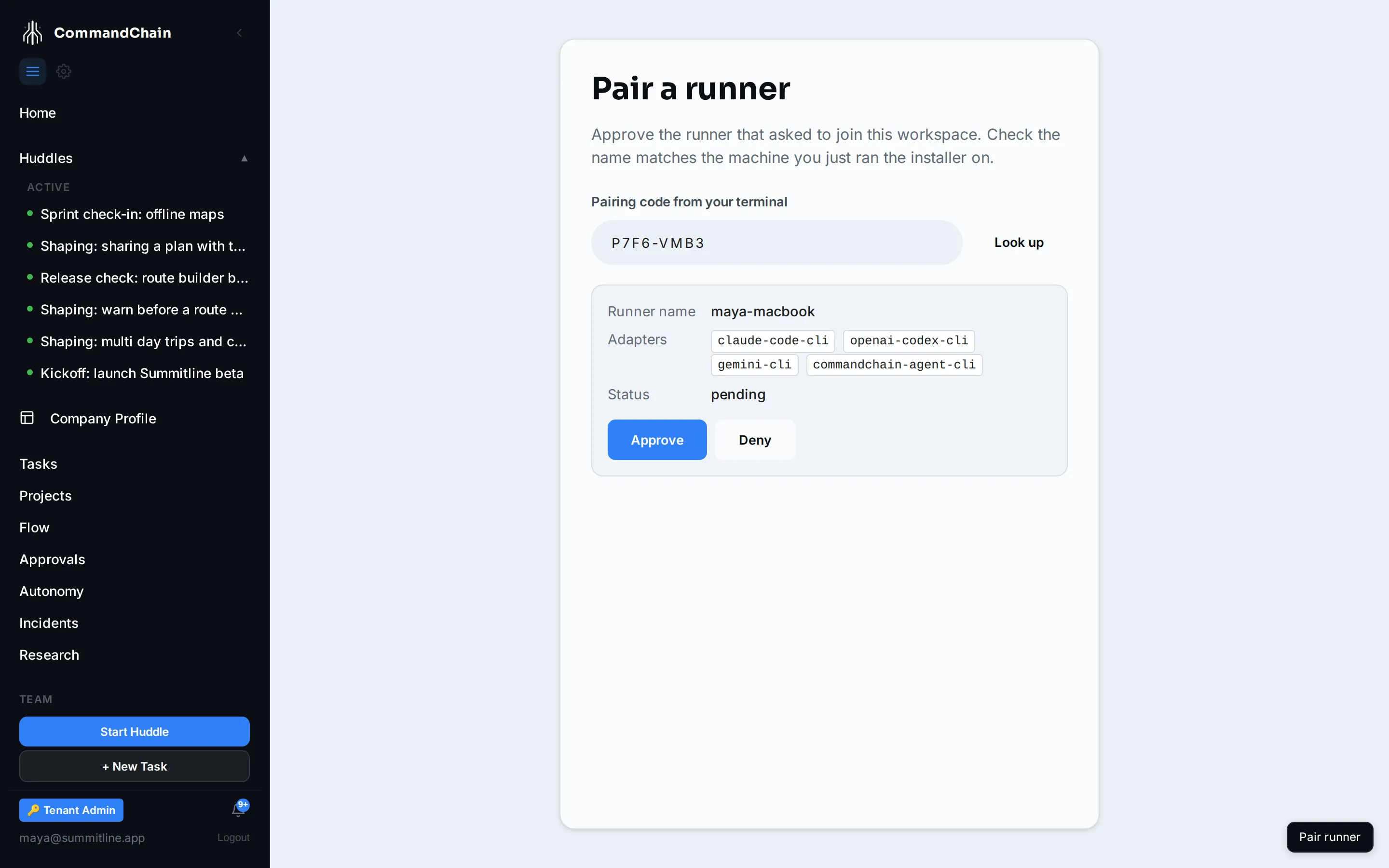
Section titled “The browser side”The approval page shows only the runner’s identity: the name it asked for, the coding-agent adapters it found on that machine, and its status.
-
Check the name. It must match the machine you just ran the installer on. This is the whole security decision, so make it deliberately: an unknown name means someone else’s code, and you should select Deny.
-
Select Approve. The workspace mints a credential for that runner and sends it back over the wire.
-
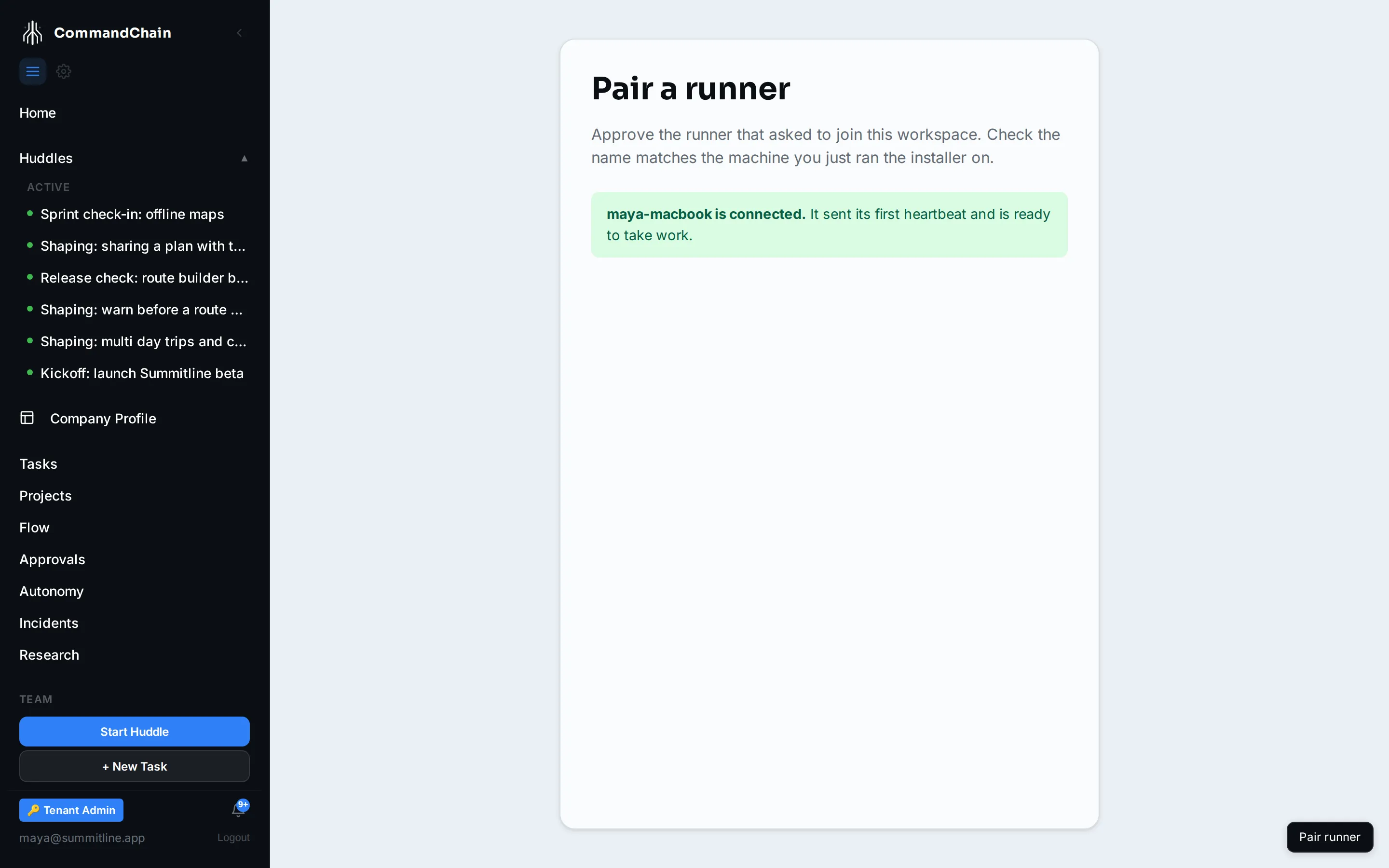
Wait for the first heartbeat. The page keeps watching. Approval alone does not mean the machine is working; the runner has to check in.
When the runner checks in, the page confirms it:
Meanwhile, the terminal on the runner machine says the same thing from its side:
✔ Paired with CommandChain. instance https://your-commandchain tenant alpenglow runnerId 32c152e4-3d5e-49a1-b3df-20b95c0a74b6 displayName maya-macbook credential /home/maya/.commandchain/runner.json (0600, never printed)Why there is no token to paste
Section titled “Why there is no token to paste”A token you copy is a token that lives in your clipboard, your scrollback, and quite possibly your shell history. Pairing avoids all three:
- The code is not a credential. It authorises nothing on its own. It only identifies a machine that is asking, and it expires.
- The real credential travels over the wire, straight into a
0600file in your home directory. It is never printed, never a command-line argument, and never written into the service definition. - You approve as yourself, in a browser session you already trust, so the decision is attributed to a person rather than to whoever holds a secret.
Re-pairing
Section titled “Re-pairing”Re-running the installer does not re-pair. It finds the saved credential and keeps it, which is what makes an upgrade safe. A runner pairs again only when:
- you removed its credential with
--uninstall --purge, - you are pointing it at a different instance, or
- you pair it deliberately, because the credential it holds is no longer
accepted. The runner screen offers that as its next step, and
commandchain-runner connect --force-pair --pair-onlydoes the same without a screen.
Next steps
Section titled “Next steps”- The security model: what the runner can and cannot touch once it is paired.
- The runner screen: after pairing, it walks you through signing the runner in.
- Coding agents: the adapters listed on the approval page.
- Troubleshooting: pairing that stalls or expires.