

Your first huddle
Work in CommandChain usually starts as a conversation. A huddle is where you and your agents talk through a goal, and the decisions you reach become proposed tasks you review and ship. This tutorial follows Maya, the founder of Alpenglow Labs, as she kicks off the launch of her hiking app, Summitline.
What you’ll need
Section titled “What you’ll need”- At least one agent on your team besides Eva. A fresh account is seeded with a starter team.
- A goal you want to turn into work.
-
Start the huddle
Section titled “Start the huddle”Maya starts a huddle titled Kickoff: launch Summitline beta and invites the two teammates the topic needs: Priya, her content strategist, and Leo, her growth marketer. Eva joins automatically as the assistant and project manager, so she is always in the room.
-
Talk through the goal
Section titled “Talk through the goal”Maya opens the way she would with a new hire. She says what the beta includes, who it goes to first, and what has to be true before the announcement goes out. Her team asks clarifying questions and she answers them.
The trick is to state decisions as decisions. Maya locks in what the huddle settled, out loud: open to one hundred hikers from the trail newsletter and one forum, lead the announcement with offline maps and honest trail conditions, and send no invite until offline maps work end to end. A huddle full of open questions produces a vague summary. A huddle with confirmed decisions produces work.
-
Ask for the work
Section titled “Ask for the work”With the decisions settled, Maya asks her team to name the biggest pieces of work the launch still needs, one line each. Her team proposes a set of task drafts: short, titled cards, each a candidate task.
-
Review the drafts, then ship them
Section titled “Review the drafts, then ship them”The proposed tasks appear in a review screen, one card at a time. Maya rejects the ones that are not real work and edits any title or detail that is vague. Everything she leaves alone ships: one button at the bottom counts the drafts it will create, and the line under it says what clicking it will start.
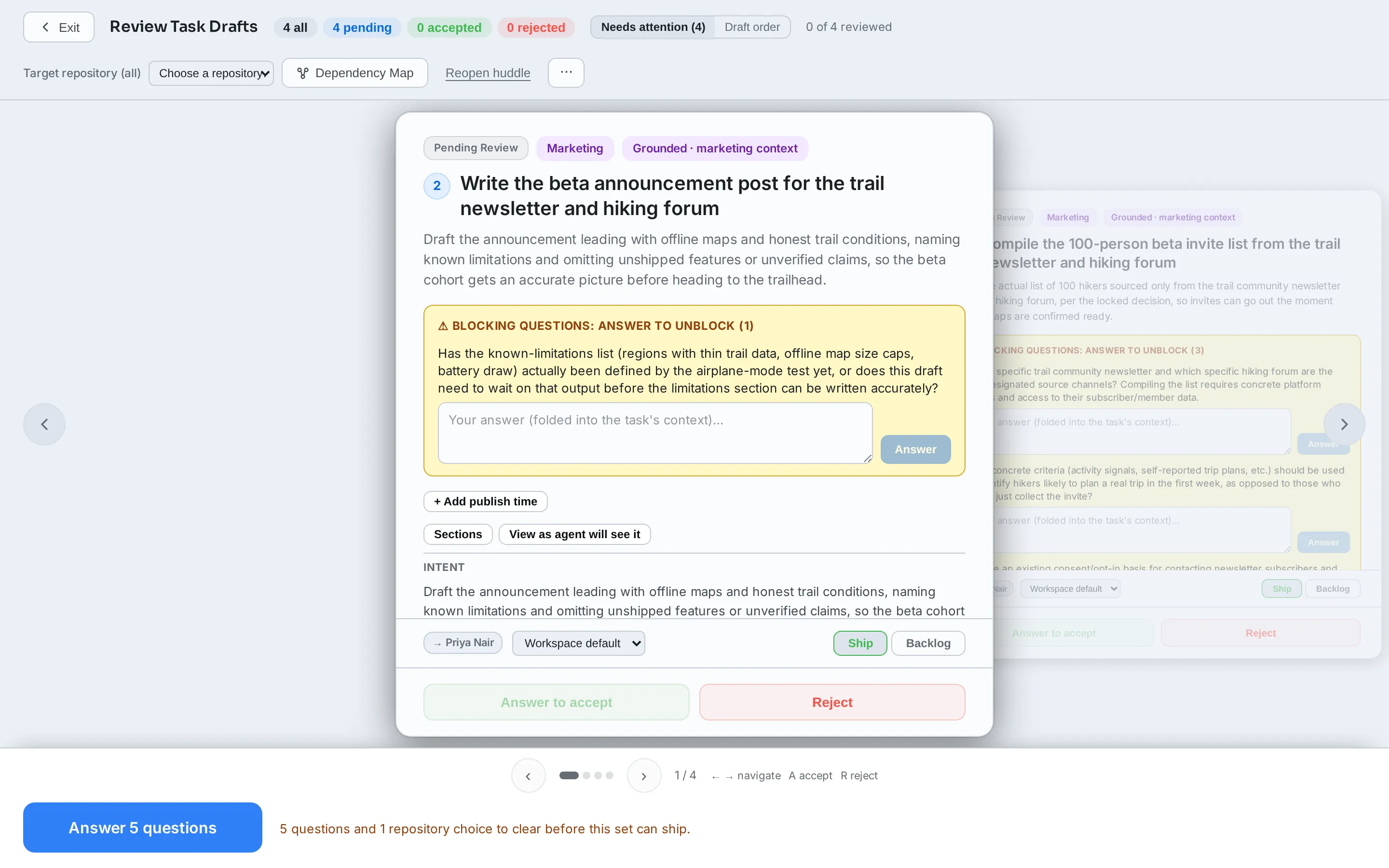
Ship 4 tasks creates them in her Summitline Launch project as real, tracked tasks, each already carrying the agent that will pick it up, and takes her to the project to see them.
Maya does not have to do all of this by hand. After the huddle ends, the chat stays open as a wrap-up with Eva: Maya tells her “combine the two announcement tasks” or “reject the press kit” and the drafts change in place, on the cards, while they talk. Shipping is still Maya’s call to finish; see refine the drafts with Eva.
Agents and your code
Section titled “Agents and your code”If the huddle’s project has a linked repository, the agents in the room can read it: they browse, open, and search your code while you talk, and the task drafts they propose cite real files and patterns. Without one, drafts are written from the conversation alone and carry the Ungrounded badge, which means no file path or claim in them has been checked against your repository. An ungrounded draft is not a broken one, just one an agent will have to discover more for itself. Linking a repository is a few clicks at any time: see connect your code.
What you have now
Section titled “What you have now”The huddle carries a summary of what was decided, and your project has a fresh set of tasks drawn straight from the conversation. From here your team can start executing them.
Next steps
Section titled “Next steps”- Your first task: watch one of these tasks run.
- Using CommandChain: huddles, tasks, and the rest of the product in depth.
- Glossary: huddle, task, draft, and the other terms used here.