

Your first task
A task is the unit of work in CommandChain. It carries a clear spec, an assignee, and a status, and you can watch it move from a plan to a finished result. This tutorial follows Maya as she takes one Summitline task from creation to acceptance.
What you’ll need
Section titled “What you’ll need”- A paired runner, so the task can execute. See install a runner.
- A project to hold the task. Maya uses her Summitline App project.
-
Create the task
Section titled “Create the task”Maya creates a task titled Add offline map caching to the trip planner and writes a short spec: hikers lose signal at the trailhead, so cache the tiles and the route for any saved trip, and show what is cached and how stale it is. She sets the type, a priority, and assigns it to Rhea, her frontend engineer.
When she saves, the task gets a short key, like
SUM-14, that she can use to find it and link to it anywhere. -
Watch it run
Section titled “Watch it run”Maya opens the task and moves to the Execution tab. Because the task has a live run, this is where the work is visible: a timeline of what the agent is doing, attempt by attempt, as it works against the repository on her runner.
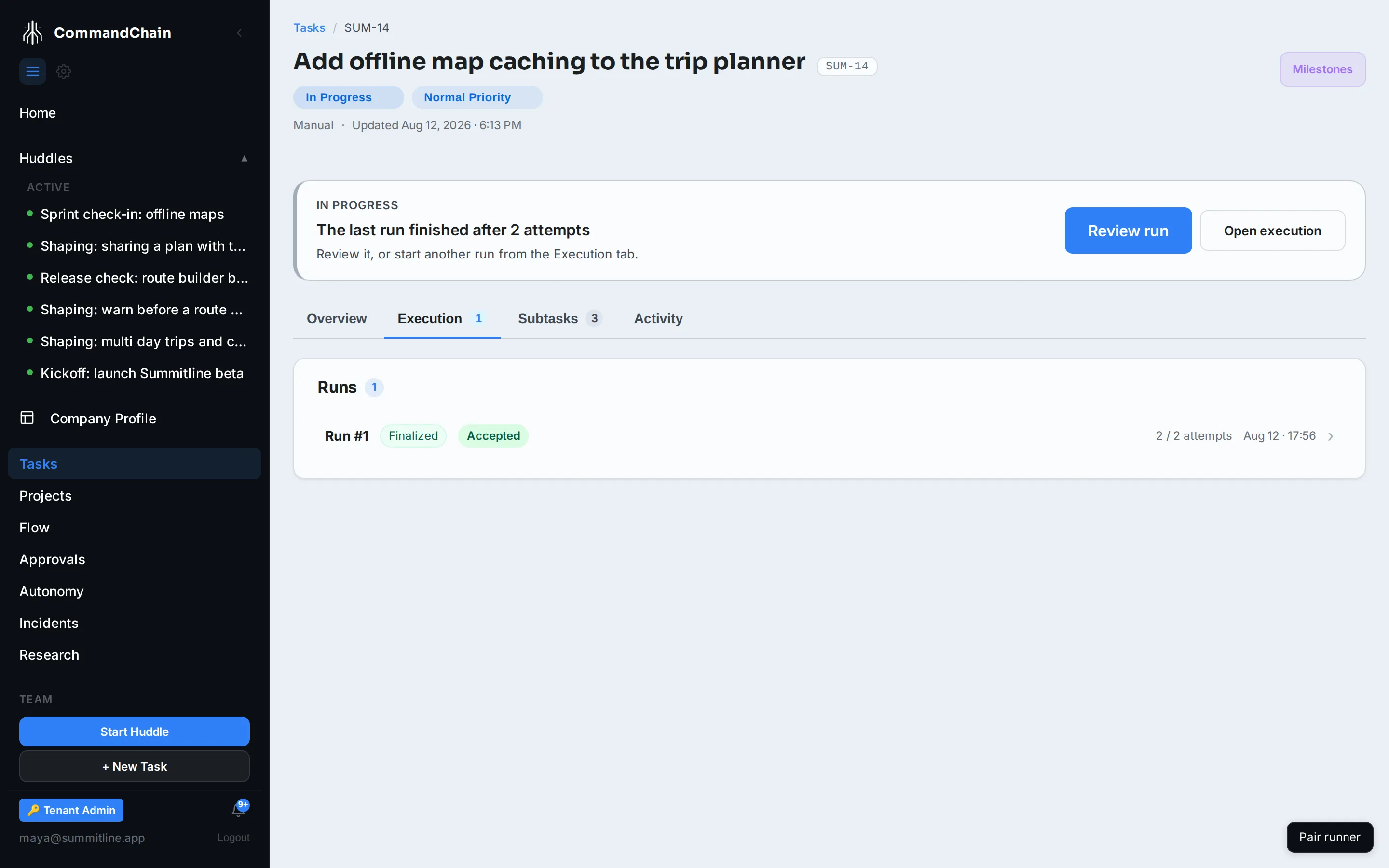
The Task Workspace has four tabs. Overview holds the spec and its details, Execution holds the run, Subtasks breaks the work down, and Activity is the running history. She can edit the status, assignee, or due date inline from any of them.
-
Review and accept the result
Section titled “Review and accept the result”When the run finishes, it produces a result: a branch, a set of changes, and a summary of what was done. Maya reviews the changes, and if they are right she accepts them. If they are not, she can send the work back with a comment for another attempt.
Accepting is not the last step for work in a repository. The branch still has to merge, and the task stays in progress until it does, so nothing is counted as finished on a branch that never landed.
What you have now
Section titled “What you have now”One task taken end to end: created, executed on your runner, reviewed, accepted, and merged. Every task you create follows the same path.
Next steps
Section titled “Next steps”- Trial credits: what a run draws from while your trial is active.
- Using CommandChain: tasks, the workspace, and assignment in depth.
- Runners and execution: where and how a run actually executes.