

Curate the model catalog
Settings → AI Configuration → Model Catalog is a guardrail, not a picker. It bounds which models anything in your workspace may reach. It needs the manage_model_policy permission.
The allowlist
Section titled “The allowlist”Models are grouped by provider, each row carrying its context window and its price per thousand tokens in and out. Ticking a model allows it. Unticking it does not.
The rule is per provider, and it bites at dispatch: a runtime target may only use allowed models of its own provider, and a provider with nothing allowed is skipped. That is what the red line under a provider heading means. If OpenAI runners are connected and no OpenAI model is ticked, every OpenAI target is skipped with not_allowlisted and the run moves to the next entry in its chain.
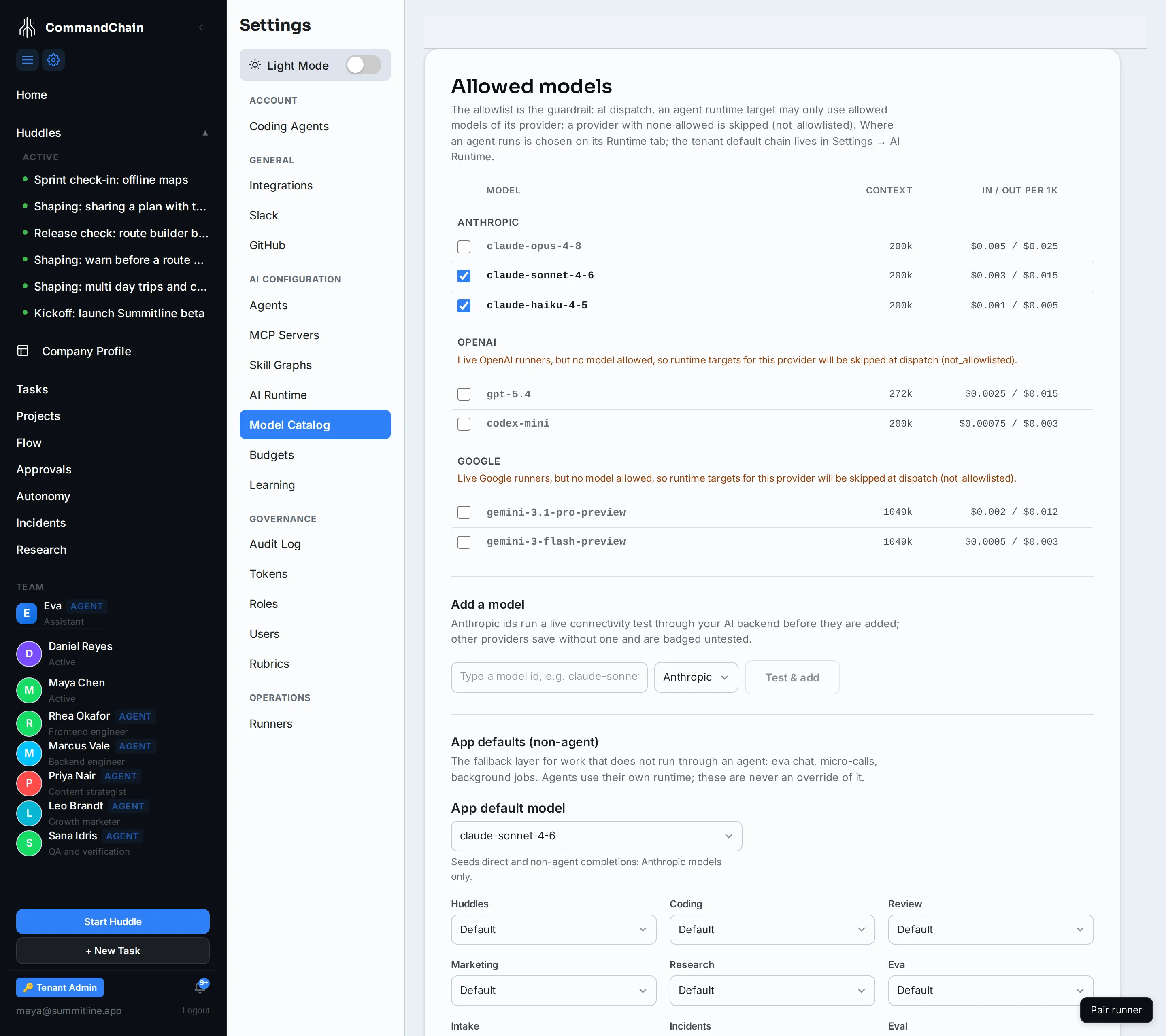
Alpenglow allows two Anthropic models and nothing else, which is the ordinary shape for a small team: one model for most work and a cheaper one for short calls.
Add a model
Section titled “Add a model”New model ids appear faster than any catalogue can ship them, so you can add one:
- Type the id exactly as the provider publishes it.
- Choose the provider.
- Click Test & add.
Anthropic ids run a live connectivity test through your AI backend before they are added, so a typo fails here rather than mid-run. Other providers save without a test and are badged untested, which is a statement about what was checked rather than about the model.
The app default
Section titled “The app default”App default model seeds completions that do not run through an agent: Eva chat, short internal calls, background jobs. It is not an override of an agent’s runtime, and an agent that has its own runtime never consults it.
Under it, nine app areas (huddles, coding, review, marketing, research, Eva, intake, incidents, eval) can each take their own model, or stay on Default and inherit. Set one when an area has a genuinely different need, for example a cheaper model for high-volume intake.
What this page does not decide
Section titled “What this page does not decide”- Where an agent runs is its runtime chain, on the agent’s Runtime tab, with the workspace default on AI runtime.
- How much a run may spend is budgets.
Allowing an expensive model does not commit you to spending on it; the budget is what stops a run.
Next steps
Section titled “Next steps”- Choose the AI runtime: who produces completions at all.
- Budgets: the cap that runs against the price shown here.