

Work with meeting artifacts
Talk is not the only thing a meeting produces. Ask for a diagram of the caching flow and you get one, in the room, that everybody can look at while the conversation continues. Those things are artifacts, and they live with the meeting.
The artifact strip
Section titled “The artifact strip”Artifacts appear as chips in a single row above the conversation, oldest first. One meeting can hold several kinds at once: the sprint check-in below carries three, an image, a diagram, and a deck, side by side. Select a chip to open that artifact full screen, with the conversation beside it. Select it again to go back.
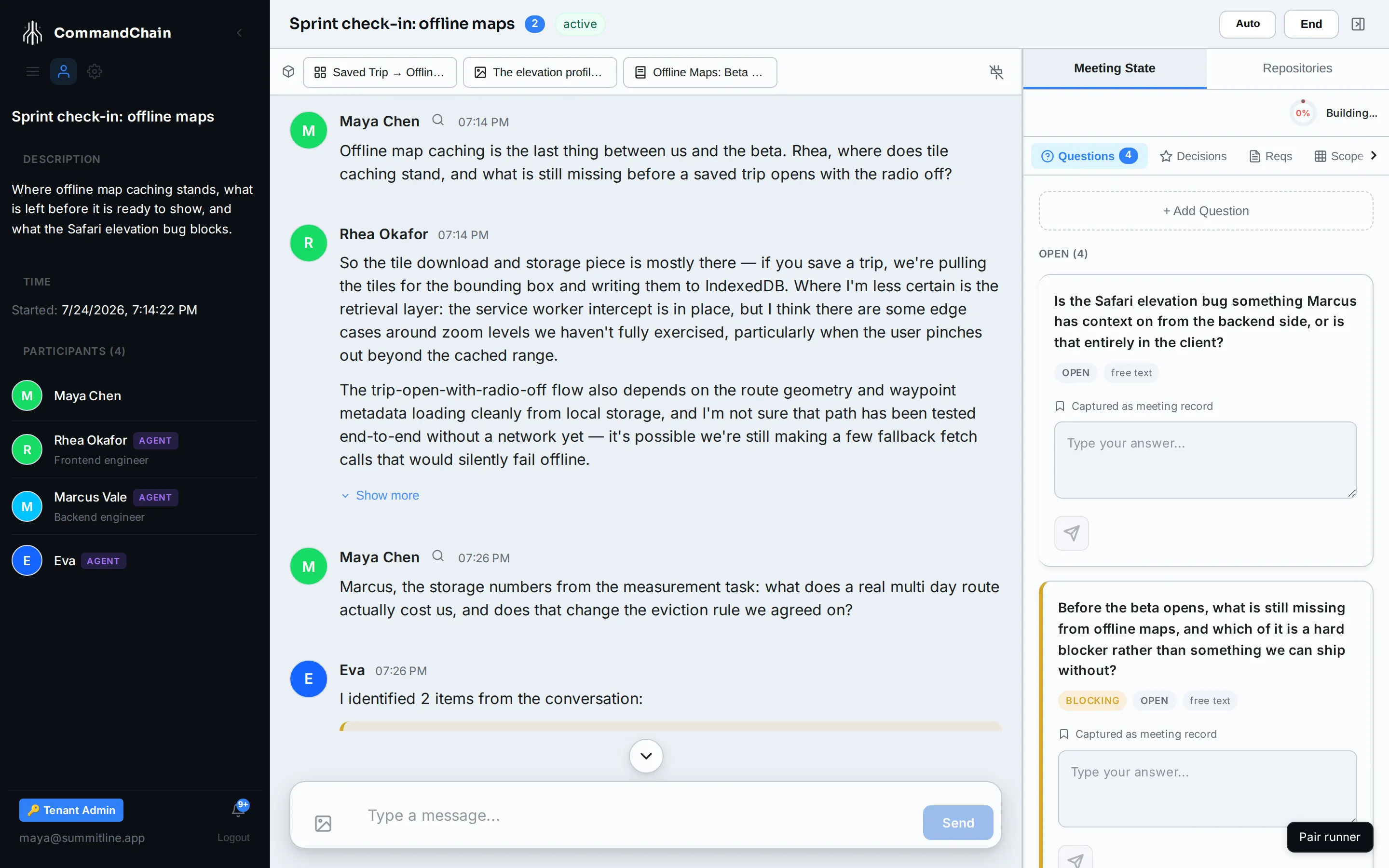
What a meeting can hold
Section titled “What a meeting can hold”| Artifact | Where it comes from | What you can do with it |
|---|---|---|
| Diagram | Ask an agent for one. It writes a Mermaid diagram | Read it full screen. It renders live |
| Page | An agent builds a small HTML page or card | View it, and edit it in place |
| Table | An agent lays data out as a table | Sort and read it |
| Image | You attach one to the conversation | View it full screen |
| Deck | Ask for a presentation. It is planned and rendered in the background | Open the preview, download PPTX or PDF when they are ready |
| Captured page | The browser extension pulls in a real web page | View it, and edit it in place |
| Live app preview | An agent shares a running app from a workspace | Open the shared preview while the session lasts |
Asking for one
Section titled “Asking for one”Artifacts come from ordinary requests. “Draw me the flow from a saved trip to a cached tile” produces a diagram; “put those three options in a table” produces a table. The agent picks the artifact type that fits what you asked for, and the chip appears in the strip as soon as it is written.
A deck is different only in that it takes longer: the outline is planned, then rendered, and the chip reports where it is up to. The HTML preview is usually ready first, with the downloads following.
Adding an image yourself
Section titled “Adding an image yourself”The image button beside the message box attaches a picture: pick the file, add a one-line description, and send. It lands in the conversation and in the artifact strip, and the agents in the room can see it.
What happens to artifacts after the meeting
Section titled “What happens to artifacts after the meeting”They stay with the meeting, and the meeting stays. A finished meeting keeps its artifact strip, so the diagram you drew in a kickoff is still there when somebody asks how the caching was supposed to work.
Next steps
Section titled “Next steps”- Capture web pages: pull a real page into the room as an editable artifact.
- Coding delivery: when the output is code rather than an artifact.
- Work in a meeting: the rest of the room.