

Stop, restart or clear a session
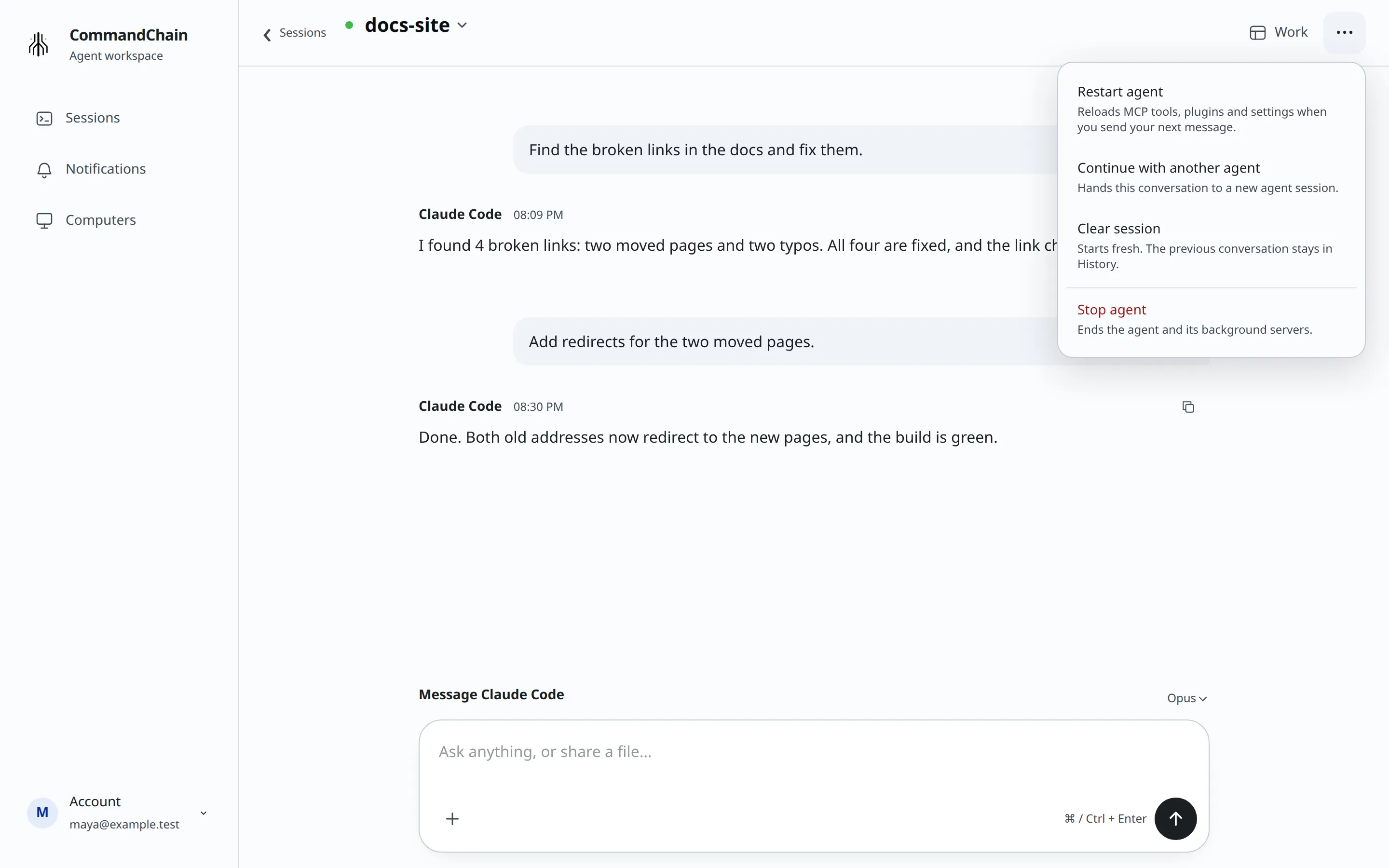
The options menu (···) at the top right of a conversation holds the actions that change the agent itself. Depending on the agent, it lists Compact context, Restart agent, Continue with another agent, Clear session and, last, Stop agent. Each item says what it does underneath its name.
Compact context
Section titled “Compact context”Select Compact context in the options menu to summarize older context in the same conversation. Some detail may be lost. Your files and the conversation shown in CommandChain stay available.
If the agent is working, compaction waits for the current turn to finish. You can answer pending questions and approvals while it waits. The session shows when context is being compacted and when it finishes. If compaction fails, use Try again in the session notice. Stopping or restarting the agent cancels a waiting compaction.
The option appears only for connections that support it: Codex and Claude Code managed by CommandChain. It is hidden for Claude Code attached from your terminal and for other agents without compaction support.
Stop the agent
Section titled “Stop the agent”Select Stop agent. What happens depends on the agent:
- Claude Code started from CommandChain: “Ends the agent and its background servers.”
- Codex, GitHub Copilot, OpenCode and Cursor: “Interrupts the turn in progress.”
- Claude Code in your terminal: the item is Disconnect session instead. It “Leaves the agent running in your terminal”, and CommandChain stops following it.
For every agent started from CommandChain, you then see “Stop requested. Waiting for the agent to finish stopping.” The session moves to Not running. Send a message to pick it up again with its conversation.
For Claude Code in your terminal, you see “Disconnect requested. Claude Code keeps running in your terminal.” The session moves to Not running here, and you carry on in the terminal.
Restart the agent
Section titled “Restart the agent”Restart when you’ve changed MCP servers, plugins or agent settings on your computer and want the agent to load them. Select Restart agent. The agent restarts and reloads MCP tools, plugins and settings when you send your next message. You see:
Restart requested. Your next message starts the agent with fresh tools and settings.
If the agent is in the middle of a turn, the item reads Restart agent and end this turn.
Restart agent isn’t offered for Claude Code in your terminal. Restart Claude Code there, or run /reload-plugins in it. It also isn’t offered when the CommandChain app on that computer is too old to restart sessions; update it, or stop the agent and send a message.
Clear the session
Section titled “Clear the session”Clearing gives you a fresh conversation with the same agent, in the same folder, on the same computer. Your files stay as they are. The previous conversation moves to History in your session list, so you can still read it.
Select Clear session in the menu, or type /clear in the message box and send it.
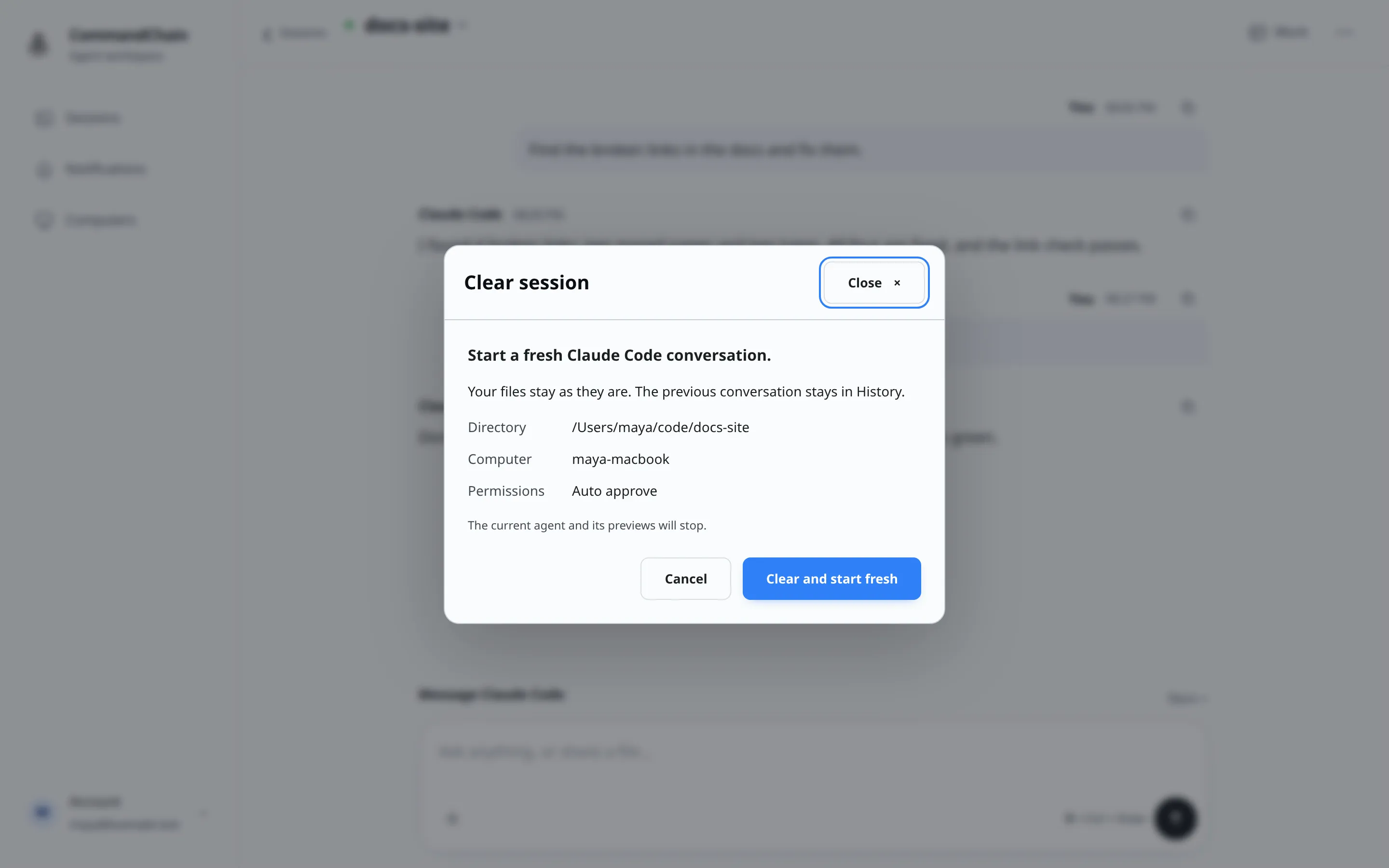
- Check the Directory, Computer and Permissions the fresh conversation will use.
- Select Clear and start fresh.
The dialog shows each step: “Stopping the current agent…”, “Starting a fresh conversation…” and, for a pinned session, “Moving your pin…”. You can close the dialog while it runs; the fresh conversation appears in Sessions. When it’s ready, you land in it. A pin and a custom name move to the fresh conversation.
For a session started here, the current agent and its previews stop. For Claude Code in your terminal, “Your original terminal keeps running. The fresh conversation starts here separately.”
You can’t clear while:
- The computer is offline: “Reconnect the computer before clearing this session.”
- New security settings are still being applied: “Wait for security settings to finish applying before clearing.”
If clearing fails, the dialog shows why and the button changes to Retry clear and start fresh.