

Pick a model and effort
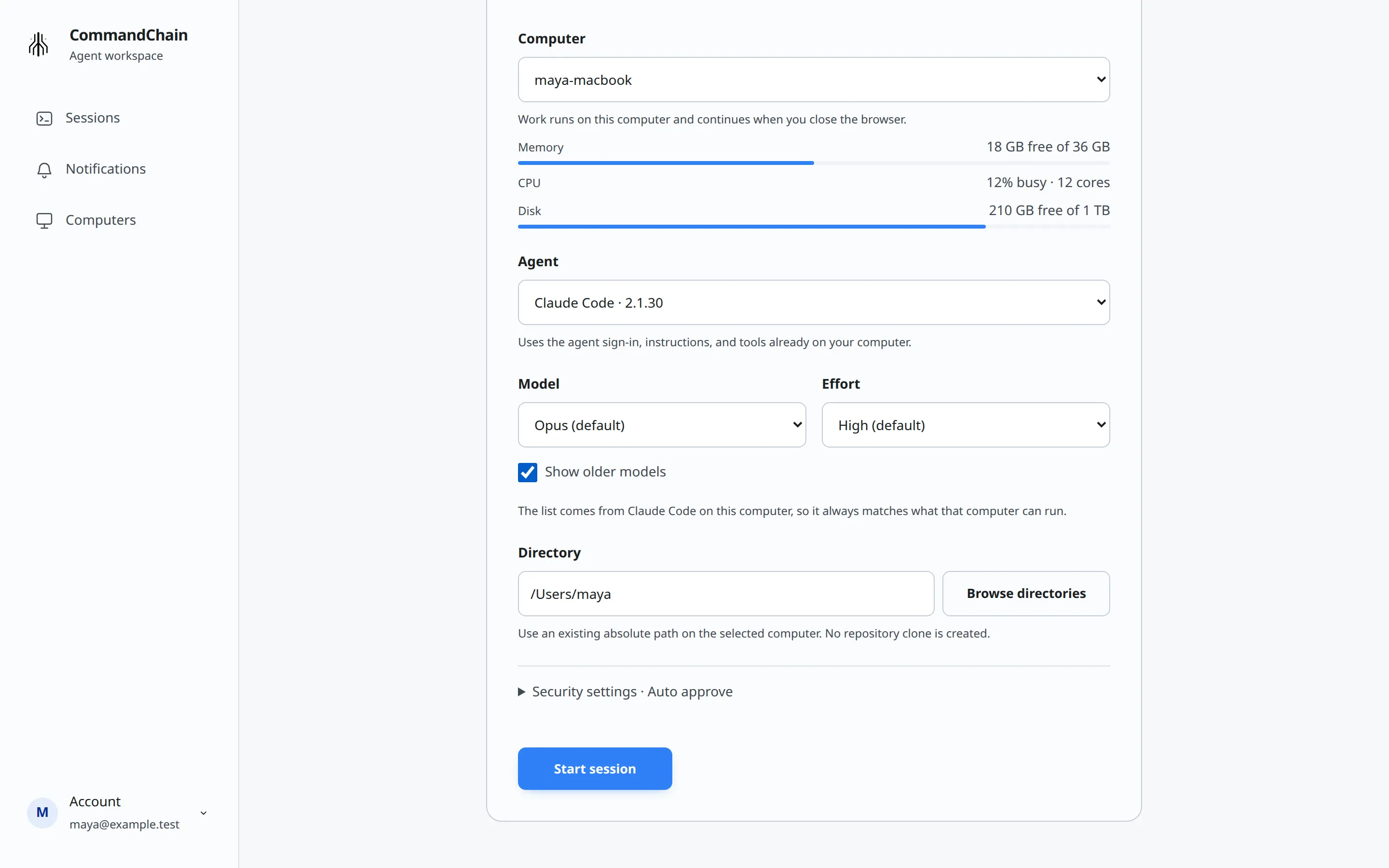
The models you can pick come from the agent installed on that computer. Under the fields, the form says so, for example: The list comes from Claude Code on this computer, so it always matches what that computer can run.
When you start a session
Section titled “When you start a session”Model and Effort appear on the New session form once you choose an agent.
- Model lists the agent’s default first. For Claude Code it names the model the default stands for, for example Default (Opus 5.5). For other agents it reads like Auto (default). Leave it to use the default.
- Show older models appears when the agent offers older models. Tick it to add them to the list under Older models.
- Effort appears when the chosen model supports effort levels. The levels come from the agent, for example Low, Medium, High and Extra high. The model’s default is marked (default).
When an agent offers only one model and no effort choice, the form shows it as a fact instead of a select. GitHub Copilot, for example, shows Model Auto (default).
If the computer has not sent its model list, you see This computer has not reported its models yet. The session will use the agent’s default.
Switch during a session
Section titled “Switch during a session”The current model shows next to the composer label. Choose it to open the Model panel.
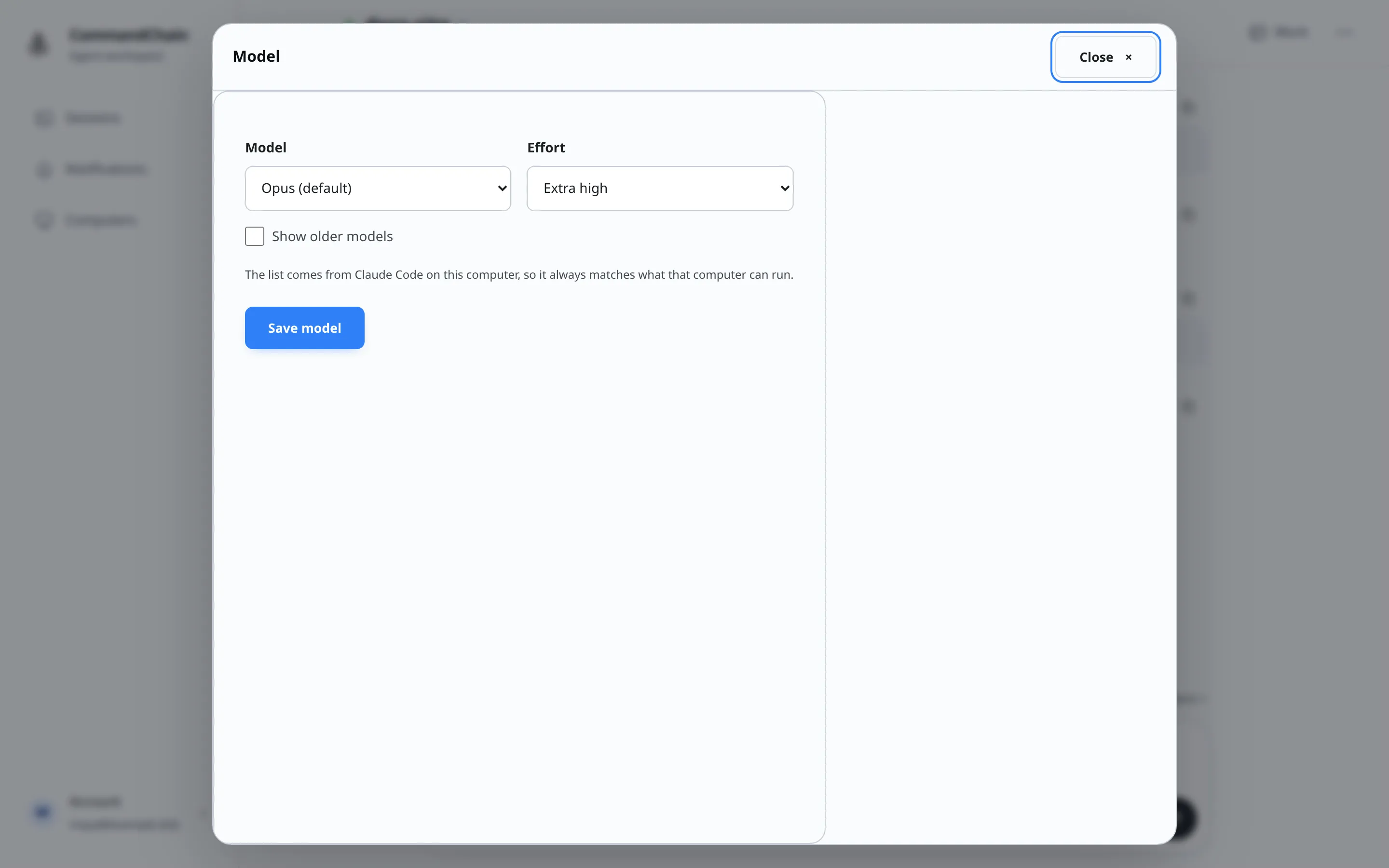
Pick a model and effort, then choose Save model. The change applies to your next message, and the panel says Switches on your next message.
You can switch only between turns. While the agent is working or waiting on a question, the panel says Wait for this turn to finish, then switch.
If your computer cannot make the switch, you see The computer could not switch models. Your session is still on followed by the model the session keeps using.
Claude Code in your terminal
Section titled “Claude Code in your terminal”For Claude Code connected from a terminal, the terminal chooses its own model, and there is no model control next to the composer. Change the model in the terminal. See Connect Claude Code in your terminal.