

Open sessions started in your terminal
You don’t have to start every session from CommandChain. Conversations you started in a terminal on one of your computers can be opened here too, so you can follow and answer them from your phone.
Two ways in
Section titled “Two ways in”- From the session list. Conversations found on your online computers already appear in your session list, marked with an arrow. Select one to open the Open session page, check what will happen, and select Open session.
- From Computers. Select Computers, then Find existing sessions on a computer’s card. This searches that computer and lists everything it finds.
Find existing sessions
Section titled “Find existing sessions”The page lists coding agent conversations started on that computer.
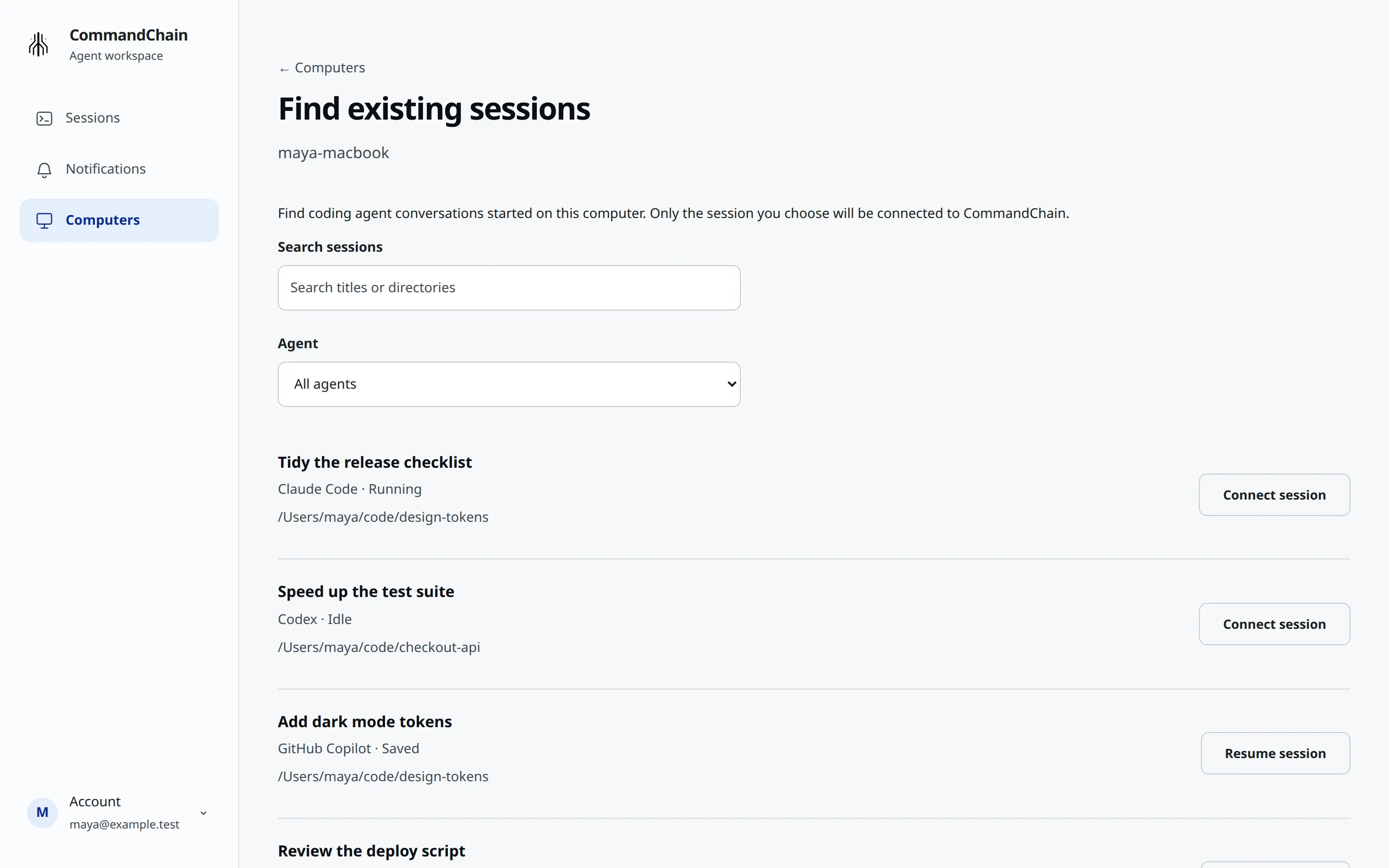
- Search sessions matches titles and directories.
- Agent filters by agent.
- Each row shows the title, the agent, its state (Running, Idle or Saved) and its folder, then the action you can take.
Results can be opened for 2 minutes. After that, opening one shows “Session discovery expired. Refresh sessions on this computer.” Select Search again and pick it from the fresh list.
Connect or resume
Section titled “Connect or resume”What you can do depends on the agent and whether the conversation is still running:
- Connect session joins a conversation that is still running. Its terminal stays usable, and messages from both places share the conversation. This works for Claude Code with the terminal integration, and for Codex conversations that are open in Codex’s shared background server on that computer. If Codex is installed but that server isn’t running, CommandChain asks Codex to start it when you search. It connects only to a conversation Codex already has open there.
- Resume session reopens a saved conversation in a new agent process. It works for Claude Code, GitHub Copilot, OpenCode and Cursor. GitHub Copilot, OpenCode and Cursor can only be resumed, not connected live.
Select the action to review it, then select Connect session or Resume session again to open it, or Back to results.
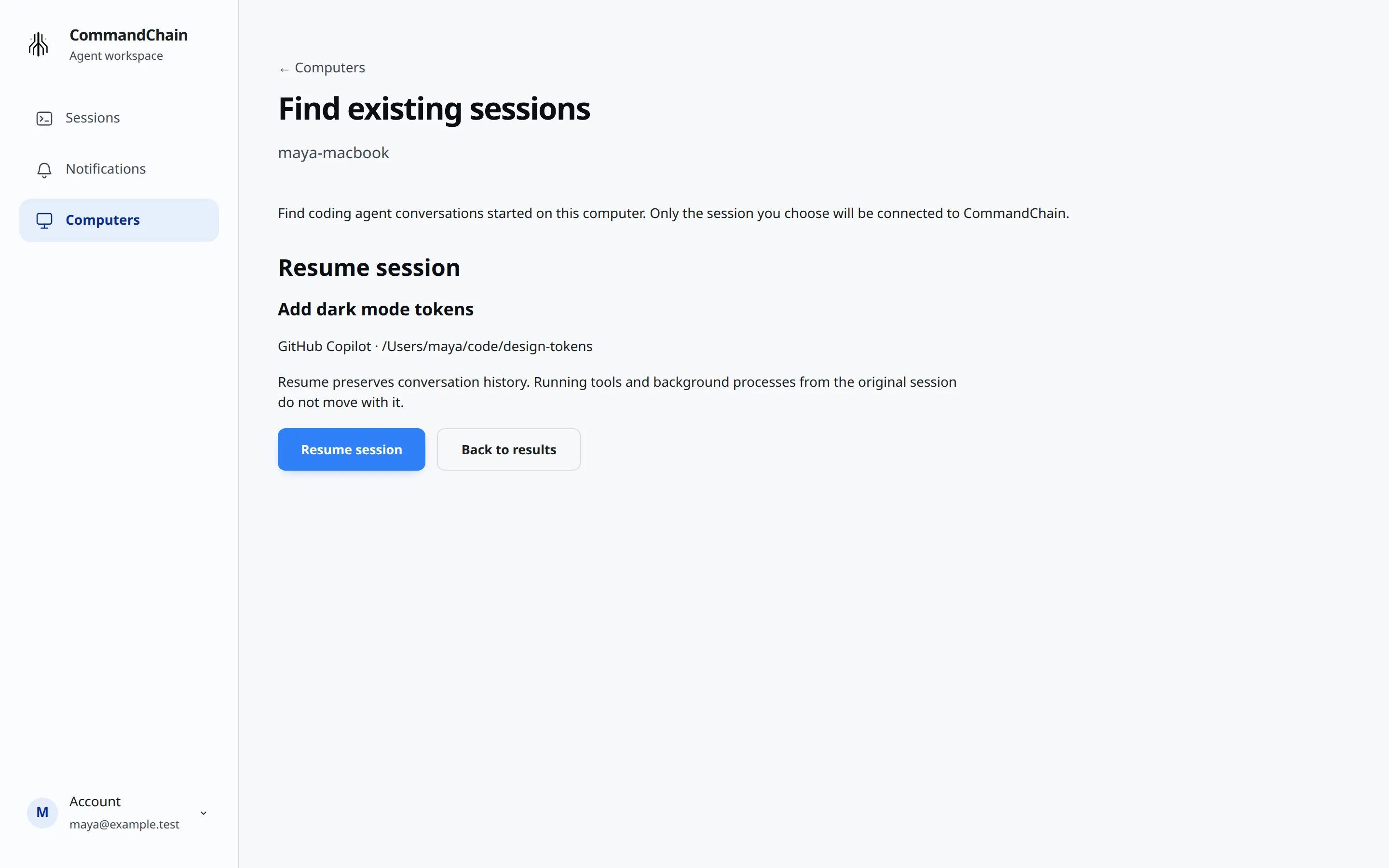
When you resume, “Running tools and background processes from the original session do not move with it.” Your agent’s own permission settings don’t change in either case. For Claude Code you connect to, keep Claude Code open in your terminal: you answer tool approvals in that terminal, and disconnecting leaves Claude Code running.
When a row is unavailable
Section titled “When a row is unavailable”A row you can’t open shows Unavailable and says why, in the agent’s terms. For example:
- “Close the original Claude session before resuming it here. Live Claude attachment is not supported.”
- “Open this conversation in Codex on this computer, then refresh to connect. A saved transcript alone does not prove its original process has stopped.”
- “Close this conversation in Cursor before resuming it here. Live attachment is not supported.”
Follow the reason, then select Search again. A Codex conversation that isn’t open in Codex’s shared background server, described under Connect or resume, can’t be connected.
If Codex can’t be searched at all, the list says why above the results:
- “Codex took too long to list its conversations. Refresh to try again.”
- “This version of Codex can’t share open conversations. Update Codex, then refresh.”
- “Codex’s background service didn’t start. Run codex once on this computer, then refresh.”
On Windows
Section titled “On Windows”On a Windows computer, Connect session isn’t available yet, for Claude Code or for Codex. See Connect Claude Code in your terminal.