

Keep notes for a project
Notes are the instructions and context you reach for again and again: your test command, a checklist, the conventions an agent keeps forgetting. Write one once, then send it to whichever agent is working on that project.
Where notes belong
Section titled “Where notes belong”A note belongs to a project, not to one session. Open any session, select Work, then the Notes tab. The header tells you which scope you’re looking at:
- Repository: the session’s folder is in a Git repository. Every session in that repository sees the same notes, on any of your computers.
- Folder: the folder isn’t in a repository. The notes belong to that folder on that computer.
So a note you write in one Claude Code session on your laptop shows up in a Codex session on another computer, as long as both work in the same repository.
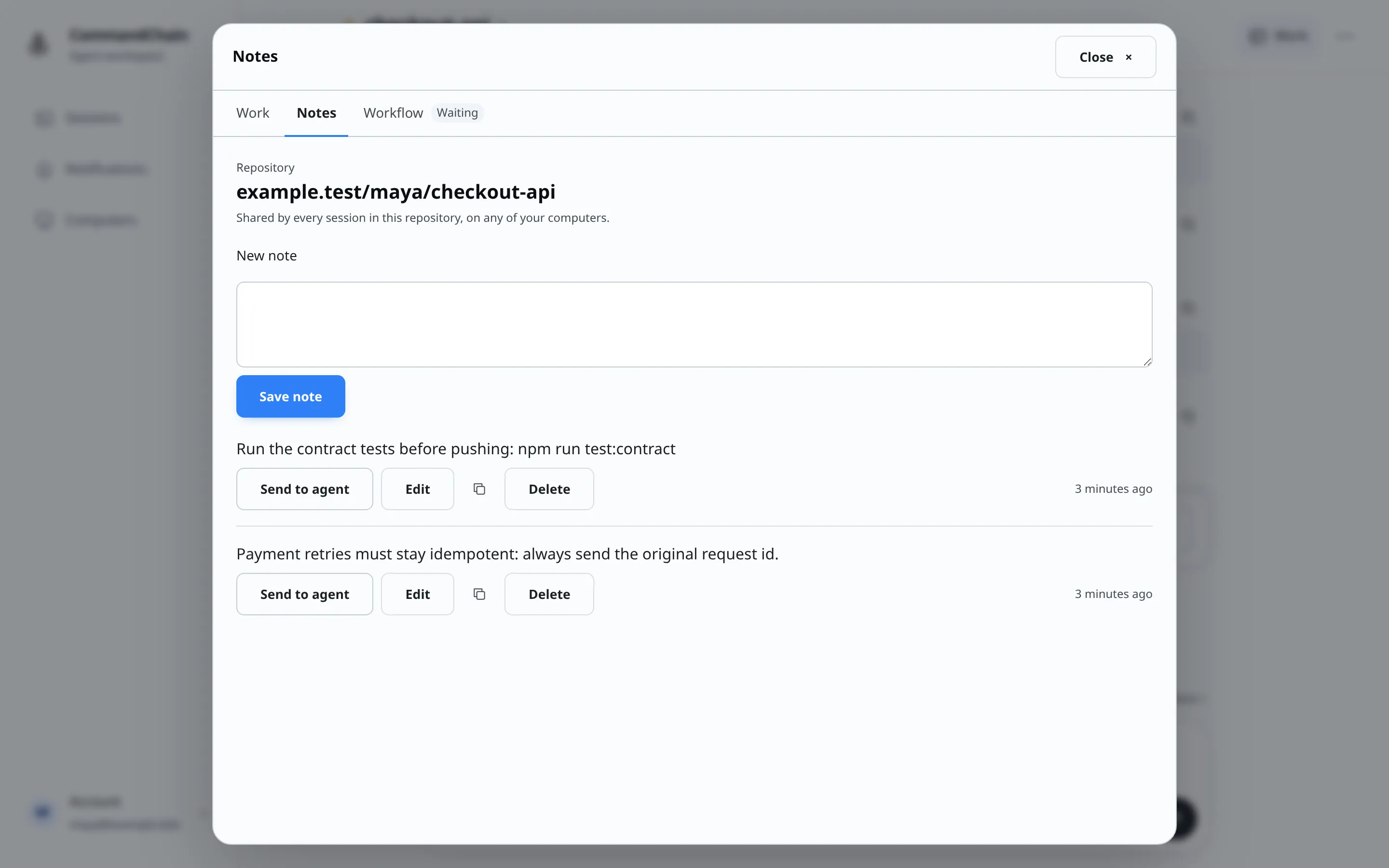
Write a note
Section titled “Write a note”- Type into New note. A note can be up to 6,000 characters; a counter appears as you get close.
- Select Save note.
Text you haven’t saved yet is still there if you close Notes and come back in the same browser tab.
Use a note
Section titled “Use a note”Each note card has these actions:
- Send to agent sends the note’s text to this session as your next message, the same as typing it into the message box (see Send messages). It waits while security settings are being applied, or while another note is sending.
- Edit opens the note in place. Select Save changes, or Cancel to leave it as it was.
- The copy button copies the note’s text.
- Delete removes the note. You have 6 seconds to select Undo. Closing Notes before then deletes it straight away.
Long notes are cut short in the list. Select Show all to read the whole note, and Show less to fold it again.
When Notes is waiting
Section titled “When Notes is waiting”Notes needs to know which repository or folder the session uses, and the CommandChain app on that computer reports it.
- Waiting for your computer: the session is still starting. Notes appear as soon as the computer opens the folder.
- Notes need a newer version on your computer: the CommandChain app on that computer is too old to report it. Update it, then reopen Notes.
Limits
Section titled “Limits”You can have up to 2,000 notes across all your repositories and folders. At the limit, saving another shows:
You have 2000 notes, the most you can keep. Delete notes you no longer need, then add this one.