

Use it on your phone
CommandChain works in your phone’s browser. There is nothing to install: the agents keep running on your computer, and your phone is where you watch and answer them.
Open it
Section titled “Open it”Open app.commandchain.ai in your phone’s browser and sign in with the same email and password you use on your computer.
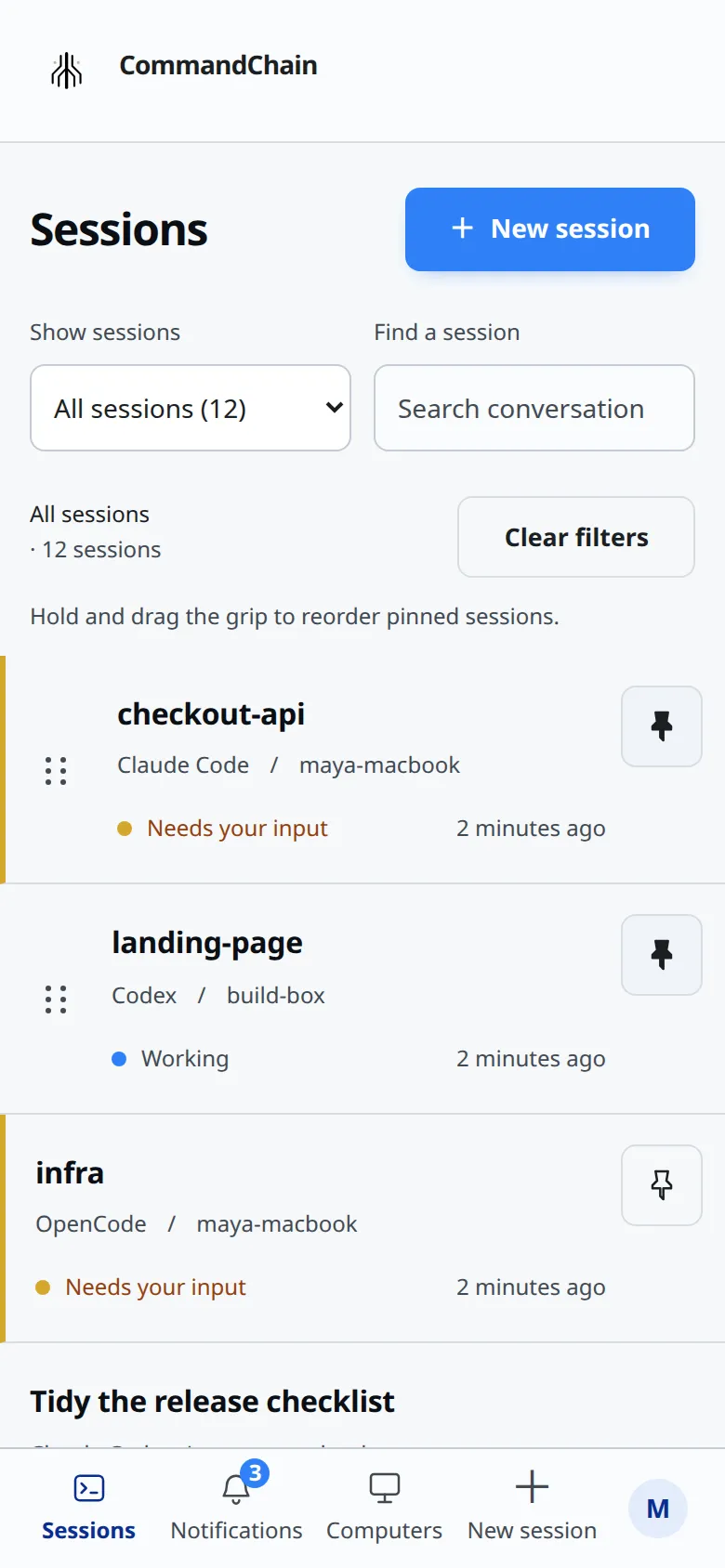
The navigation sits at the bottom of the screen: Sessions, Notifications, Computers and New session. The account menu, with your initial on it, holds the theme switch, notifications and Sign out. Pull down on a list to refresh it.
Add it to your Home Screen
Section titled “Add it to your Home Screen”On iPhone and iPad:
- Open CommandChain in Safari.
- Tap Share, then Add to Home Screen.
- Open CommandChain from the new icon on your Home Screen.
On iPhone and iPad, notifications work only in the Home Screen app. In a Safari tab, the account menu shows “To get notifications, add CommandChain to your Home Screen and open it from there.”
On Android you can add it to your home screen from your browser’s menu too, but notifications also work in a normal browser tab.
Turn on notifications
Section titled “Turn on notifications”- Open the account menu.
- Select Notification settings.
- Enable the types you want under Your sessions and Subagent sessions.
- Allow notifications when your phone asks.
The page shows Saved for this device. Do the same on every phone, tablet or computer browser where you want to be notified. If notifications are blocked, allow them for CommandChain in your device’s notification settings, then reopen the page.
What you get notified about, and what a notification says, is in Get notified.
Devices on your account
Section titled “Devices on your account”Each browser or Home Screen app where you send messages or turn on notifications counts as one device. An account can have up to 20. Past that, you see “You have 20 devices registered, the most allowed. Remove a device you no longer use, then sign in here again.” The app has no control for removing a device yet. If you hit this limit, get in touch.
Native apps
Section titled “Native apps”Native iOS and Android apps are coming. Until then, open CommandChain in your phone’s browser, or add it to your Home Screen.